NVMe Shared Hosting: Beginner’s Guide (2026)
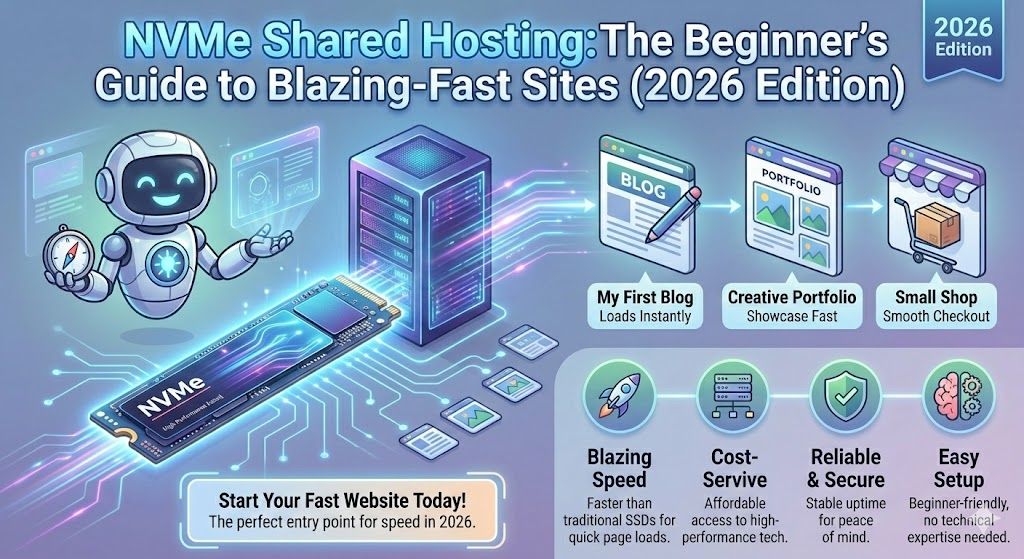
NVMe Shared Hosting: The Beginner’s Guide to Blazing-Fast Sites (2026 Edition)
Imagine hitting "publish" and your site loads in the blink of an eye, like, "Whoa, did I just break the internet?" smooth. If you've run websites on old-school shared hosting, you probably know the pain of slow load times, annoying lags, and watching your visitors bounce because, frankly, nobody likes waiting around. Enter NVMe shared hosting: the superhero cape for your website, especially if you're tired of spinning wheels and excuses from your current host.
But what's NVMe hosting, why does it matter, and who should care (hint: yes, even you with your three-page WordPress site)? Here, we're breaking down what makes NVMe shared hosting special, who it's perfect for, and exactly how to get the most speed for your bucks. Plus practical examples, gotchas, and my top pick for NVMe shared hosting in 2026: Devoster.
So, grab your coffee (or energy drink of choice), and let's get nerdy, but in a fun, non-overwhelming, "seriously, anyone can do this" way.
Key Takeaways
- NVMe shared hosting dramatically improves site speed, slashing load times and boosting user experience compared to traditional SSD or HDD hosting.
- Choosing NVMe shared hosting benefits WordPress, WooCommerce, and small business sites by offering fast, reliable performance without VPS-level costs or complexity.
- Look for hosts that provide true native NVMe drives, clear resource allocations, daily backups, and robust security features for the best value.
- Switching to NVMe shared hosting can significantly enhance SEO scores and conversion rates thanks to superior speed and lower Time to First Byte (TTFB).
- Migrating to NVMe shared hosting is easy, especially with providers offering free migration and 24/7 support, ensuring a smooth upgrade with minimal downtime.
- While NVMe delivers major speed gains, it won't fix poorly optimized sites, so regular site maintenance remains essential for top performance.

Start fast with Shared Web Hosting
The simplest, most affordable way to get online. Includes SSL, CDN, and solid performance.
Browse plansWhat is Nvme Shared Hosting
NVMe vs SSD vs HDD, technical differences and real impact
Okay, let's put this in food terms (because who doesn't love snacks?):
HDD (Hard Disk Drives) are like ancient vending machines, mechanical, slow, and occasionally get stuck.
SSD (Solid State Drives) are a nice new mini-mart: much quicker, no moving parts, pretty reliable.
NVMe (Non-Volatile Memory Express) is your futuristic self-checkout where you wave your phone and ZAP, you're done before you even realize.
NVMe's magic?
Speeds up reads and writes by a factor of 5–7x compared to regular SSD (and, uh, like 30–50x over HDD).
Handles more input/output requests simultaneously, which means your site isn't left tapping its foot behind someone else in line.
Not just numbers, if you've ever tried uploading a bazillion photos or watched your admin dashboard crawl, NVMe makes that instant. It's not hype: it's new tech that actually delivers.
How NVMe works in a multi-tenant (shared) environment
Shared hosting means you're rooming with others on one server, a bit like renting an apartment with some chatty (sometimes messy) neighbors. NVMe shared hosting sticks blazingly fast drives into that scenario. The catch? All tenants get to tap NVMe's speed, so everyone benefits, but you still share overall resources, so it's lightning-quick, but not unlimited. Good hosts invest in fast NVMe storage and careful resource management, so even in a crowded house, your site keeps moving.
Benefits of NVMe Shared Hosting
Speed & latency improvements (IOPS, throughput, TTFB)
Let's get nerdy for a sec, what do all these acronyms mean for a regular human?
IOPS (Input/Output Operations Per Second): More = faster file reads/writes. Think: 100 people checking out at once, not just one.
Throughput: How much data can move at once. Your big store is now running a ton of registers.
TTFB (Time To First Byte): That fraction of a second before your website starts to load. Lower TTFB = happier visitors (and maybe a boost in Google's eyes).
Moving from a slow, oversubscribed disk to NVMe usually shows up in TTFB first, which is the number to watch if you care about UX or SEO.
Improved concurrency for busy pages and admin tasks
Got a WooCommerce store? Or do you LOVE logging into your admin panel, just to be greeted by the dreaded spinning wheel? NVMe allows way more visitors (and admin activity) before things slow down.
Nobody loves getting throttled in the middle of writing a post or taking a spike of traffic (especially if you've just run a promo).
Better reliability, wear-leveling and failure tolerance
This isn't just about speed. NVMe drives with modern controllers do fancy things like wear-leveling (spreading out data writes so parts don't get worn out) and fast error-correction. Plus, when a host runs NVMe drives in a RAID array, even if a drive fails, you're much less likely to lose data or face downtime. It's insurance for your site, without paying extra for peace of mind.
Who should choose nvme shared hosting (use cases)
Small business & brochure sites
Look, you might think, "But I only have a handful of pages." Thing is, those pages still matter. You're competing for local SEO, you want clients to actually stick around, and you want to show up as the "instantly loads" company, not "still waiting…" Entry-level NVMe plans are honestly overkill for a small brochure site (and that's a GOOD thing).
WordPress, WooCommerce and other CMS sites
If you're running WordPress or any CMS, NVMe shared hosting is like switching from a tricycle to a Tesla. Page builders, WooCommerce product edits, and even basic theme changes all get snappier. Have a clunky old plugin? It'll still be slow, but everything else will be lightning-fast. The biggest wins usually show up wherever the site touches the disk most: checkout, media uploads, and the admin screens.
Developers, staging sites and low-cost high-performance projects
Building a test site or low-traffic MVP? NVMe shared hosting gives you the speed of fancy VPS or cloud, but at shared hosting prices. Staging environments feel noticeably snappier on NVMe than on older SSD plans. Plus, many providers (Devoster included) bundle staging environments with every plan, so you're not boxed in like the old days.
NVMe shared hosting vs NVMe VPS vs SSD shared: which to pick?
Performance, isolation and scalability: a side-by-side comparison
| Feature | NVMe Shared Hosting | NVMe VPS | SSD Shared Hosting |
|---|---|---|---|
| Speed | Superb | Best | Decent (okay-ish) |
| Isolation | Medium (shared) | High (dedicated) | Medium (shared) |
| Scalability | Fixed plan sizes | Highly scalable | Fixed plan sizes |
| Management | Easy (fully-managed) | You manage (mostly) | Easy |
| Price | Low | Higher (you pay for it) | Lowest/Low |
If you want true "nobody else can touch my stuff" security and resources, NVMe VPS is king... but you lose the hand-holding and pay more. For 95% of normal sites, NVMe shared is the sweet spot.
Cost comparison and upgrade paths
NVMe VPS sounds cool, but can run you $18–$40/month (or more). NVMe shared? Realistically $6–$12/mo for robust plans (Devoster's entry Lite plan is $2.90/mo at the time of writing). Most hosts let you upgrade to VPS later, so you can start cheap, enjoy NVMe, and only upgrade if you really have to. Upgrading is usually a couple of clicks, but ask your host exactly what the cutover involves before you commit.
What to look for in an NVMe shared hosting provider
Storage details: true NVMe, pooled NVMe, or cache-tiering?
Look, not all "NVMe hosting" is created equal. Some hosts use 100% native NVMe (huge win, that's what you want). Others offer "pooled" (think: part SSD, part NVMe) or use NVMe as a cache only, you get some speed, not the full rocket ride. Ask the live chat which they use. Devoster lists NVMe storage on every shared plan.
Resource limits: RAM, CPU, IOPS, inode and connection caps
This is the fine print you should care about. Want to avoid "Sorry, you've hit your resources" errors? Check real RAM/CPU/I/O allowances, connection limits, and inodes (file counts). Devoster is refreshingly transparent, just remember, unlimited is rarely actually unlimited.
Web server & software stack: LiteSpeed, NGINX, PHP-FPM, HTTP/2, HTTP/3
LiteSpeed is the gold standard for shared hosting (hello, speed and caching.). NGINX is solid too: Apache is okay if tuned well. HTTP/3 matters more for global sites, but at least HTTP/2 is a must. Bonus: PHP-FPM and OPcache, key for modern WordPress.
Control panel, one-click apps and WordPress optimisation
cPanel is comfy, and Devoster offers it on shared hosting alongside its own panel. One-click WordPress setup is a dealbreaker for me, who wants to install by hand?
Backups, snapshots, retention and restore policies
How many days do they keep backups? Is snapshot restore a paid extra? Some hosts (Devoster included, notice a trend?) do free daily backups with a 7-day retention window, and let you restore easily. That's... priceless, honestly.
Security features: malware scanning, WAF, DDoS protection
Standard now: malware scans, a Web Application Firewall (WAF), free Let's Encrypt SSL, and bonus points for DDoS defense on all plans. Always double-check these aren't paid add-ons.
Support, SLA, data center locations and CDN options
Live chat is great, but 24/7 phone or ticket support with real geeks is the dream. Check for SLAs (99.9% is standard), and if you're targeting global users, see if a CDN is bundled (Cloudflare is common). Check where the servers actually sit, too: Devoster's are in the US-South, which matters if most of your audience is somewhere else.
Transparent pricing & common hidden costs to watch for
Intro pricing vs renewal rates
Ah, the classic hosting gotcha. That $2/mo promo? Nice… but renews at $7+ after the first term. Always check the "regular" price. Devoster publishes one monthly rate per plan (Lite $2.90, Standard $5.90 at the time of writing), with yearly billing cheaper per month.
Add-ons: backups, SSL, migrations, priority support
Some hosts charge for backups or basic SSL, no thanks. Make sure backups and SSL are included. Free migration is a game-changer. (I once paid $59 to migrate twice before landing with a host that moved everything for free. Never again.)
Overage charges and fair use policies
Check what happens if you go viral, or, y'know, get attacked by robots. Does your site get throttled, or do you get a surprise bill? Always ask chat before you commit, and get the answer in writing.
Real-world benchmarks and case studies for NVMe shared hosting
Recommended benchmark tests (TTFB, WP bench, concurrent requests)
Curious if the hype translates to numbers? Run:
TTFB tests (tools: GTMetrix, WebPageTest)
WordPress Performance Benchmarks (WPPerformanceTester plugin)
Concurrent request stress tests (Loader.io or k6)
What a before-and-after usually looks like
Take a hypothetical case: a small WooCommerce shop on an ageing, oversubscribed shared plan, where the homepage drags and admin edits stall halfway through. Nothing about the site changes in a disk upgrade, so do not expect the theme or the plugin stack to get better. What does change is everything that waits on the disk: database queries, media uploads, and the admin screens. Benchmark your own site before and after rather than trusting anyone else's numbers, including ours.
How to interpret benchmark results and what they mean for users
Don't just look at "homepage speed". Focus on:
TTFB: under 200ms is fab
Repeat-page loads: should be ~0.5–1s with caching on
Concurrency: if you pass 20–25 users clicking at once without crashing, you're golden.
A well-provisioned NVMe shared plan can close a lot of the gap with an entry-level VPS, which is exactly why it is worth benchmarking before you pay for one.
Migration checklist: moving to NVMe shared hosting (no downtime)
Pre-migration steps: backups, DNS TTL, plugin and PHP checks
Checklist before moving:
Full backup (and download it, don't just trust the host)
Lower DNS TTL (to 300 seconds) at least a day before
Review plugins and themes, make sure they run on modern PHP (7.4+)
Check email settings so new server matches (avoid lost mail.)
Using free migration services vs manual migration
Many NVMe hosts offer FREE migrations (Devoster does). It's like valet parking for your website, hand over the keys, let them sweat the details. But if you're a DIY-er, use plugins like All-in-One WP Migration, or for static sites, straight ZIP & SFTP works. If you're nervous, always choose the free service for your first migration.
Post-migration validation and performance testing
Once live, do NOT kick back yet:
Check homepage and key pages (logged in and out)
Test forms, shopping carts, logins, and email
Run speed tests from multiple locations
Reconfigure DNS only after confirming everything's perfect
I once migrated a client, missed checking email after the move (oops.), and, yup, bounced some leads. Learn from my mistake.
Optimize your site to get the most from NVMe shared hosting
Caching strategies: object cache, page cache, CDN placement
Speed isn't just about NVMe. Turn on server-level caching (LiteSpeed Cache, Redis, or at least a basic opcode cache). Use a CDN for static files: place it where your audience lives. Turning on a server-level cache is usually the single biggest win after the migration itself.
PHP and database tuning (PHP-FPM, OPcache, MySQL/MariaDB tweaks)
Use PHP-FPM and OPcache. For heavy sites, tweak MySQL to increase buffer size, or leverage managed DB if you're fancy. But mostly, keep things default unless performance tanks, then consult support. They're friendlier than you'd expect.
File system considerations and reducing I/O pressure
Fewer files = less stress on the server. Compress images, offload heavy media to CDN, clean out old backups or temp files. Clearing out unused media is one of the quickest ways to cut disk I/O, and it makes backups faster too.
Recommended plugins and server modules for WordPress/WooCommerce
For WordPress, use LiteSpeed Cache (best if your host runs LiteSpeed), WP Optimize, and Query Monitor (for tracking slow plugins). WooCommerce? Add Disable Cart Fragments and a solid SMTP plugin for fast emails. All are free, and play nice with NVMe.
Security, backups and reliability on NVMe shared hosting
Snapshot vs incremental backups, pros and cons
Snapshot backups: Fast, full disk snapshots. Quick restores, but take space and often limited in number.
Incremental backups: Only changed files saved each time. Uses less space, often better for long-term retention.
Ask your host which of the two it runs, and how long it keeps them.
Data redundancy, RAID-equivalents for NVMe and failover
Great hosts run NVMe drives in RAID 10 or similar, so if a drive dies, your data doesn't vanish into the ether. Double-check your provider's policy before you assume anything.
Incident response, uptime guarantees and refund policies
Look for hosts with 99.9%+ uptime guarantees (most NVMe hosts offer this now). But the real test? How quickly do they fix problems when things do go bump in the night? Humans who respond fast are worth more than a written guarantee. Refund policies? 30-day money-back is industry standard.
Limitations & common misconceptions about NVMe shared hosting
Why NVMe won't magically fix poor code or unoptimized databases
Harsh truth: upgrading to NVMe shared hosting CAN make your site feel 10x snappier, but it won't save you from bloated themes, 20+ slow plugins, or a huge, clunky database. Treat NVMe as the best runway in town, but your plane still needs regular maintenance.
Multi-tenant limits: noisy neighbors and resource throttling
Even on NVMe, you're still on shared hosting, it's like living in a building with thin walls. If a neighbor misbehaves (CPU spikes, endless scripts), your site can slow down. The best hosts actively monitor for "noisy neighbors," but be realistic: if you're doing 10,000+ visitors a day, it's time to consider a VPS.
Quick comparison: top NVMe shared hosting features checklist
Must-have features (free migration, CDN, backups, 24/7 support)
Free migration (with expert help.)
CDN bundled (Cloudflare integration or similar)
Automated daily backups
24/7 real human support (chat/tickets/phone)
Devoster covers free migration, daily backups and 24/7 support; ask directly about the CDN before you assume it is bundled.
Nice-to-have features (staging sites, auto-updates, server-level caching)
Staging environment (for safe edits)
Auto-updating WordPress/core apps
Server-level LiteSpeed/Redis caching
These aren't essential but REALLY nice to have for "serious" folks (and everyone who's broken their site by "just one tweak").
Frequently Asked Questions (FAQs) about nvme shared hosting
Is NVMe shared hosting worth the extra cost?
For any site that actually matters, even your side-hustle blog, yep, the answer's almost always yes. The extra $2–$4/month pays off instantly when you see better speed, SEO, and "my site just works." vibes.
Can I switch plans later without downtime?
Most modern NVMe hosts allow seamless upgrading or downgrading. Ask yours whether a plan change happens in place or needs a migration window. (And don't forget to clear your cache afterwards.)
Will NVMe hosting improve my SEO and page speed scores?
All things equal? Definitely. Google cares about speed, and users care even more. A faster disk means a faster server response, and that feeds straight into Core Web Vitals without you changing a line of code.

Have questions? Get in touch
Not sure which plan fits or how crypto billing works for you? We're here to help.
Contact usConclusion and next steps: choose the right NVMe shared hosting plan
Ready to ditch waiting rooms and level-up your site, once and for all? NVMe shared hosting isn't hype, it's the new standard, and your visitors will feel the difference from the first click. Whether you're running WordPress, WooCommerce, a hobby blog, or something wild and new, switching to NVMe shared is the most cost-effective upgrade you can make this year.
My top pick? Devoster, for speed, transparency, real support, and the features you actually need with none of the B.S. So take the leap, say goodbye to last decade's tech, and go see what your site can really do. (And hey, if you break something, at least their support will help you, probably with a meme or two.)
Questions or need a hand planning your migration? Drop a comment below, and let's make your site faster together, it's honestly kind of addictive. Happy hosting.
Ready to Experience Devoster?
Join thousands of satisfied customers with transparent pricing and lightning-fast hosting.