אחסון אתרים לעומת אחסון וורדפרס: השוואה, עלויות ואיך לבחור (2026)
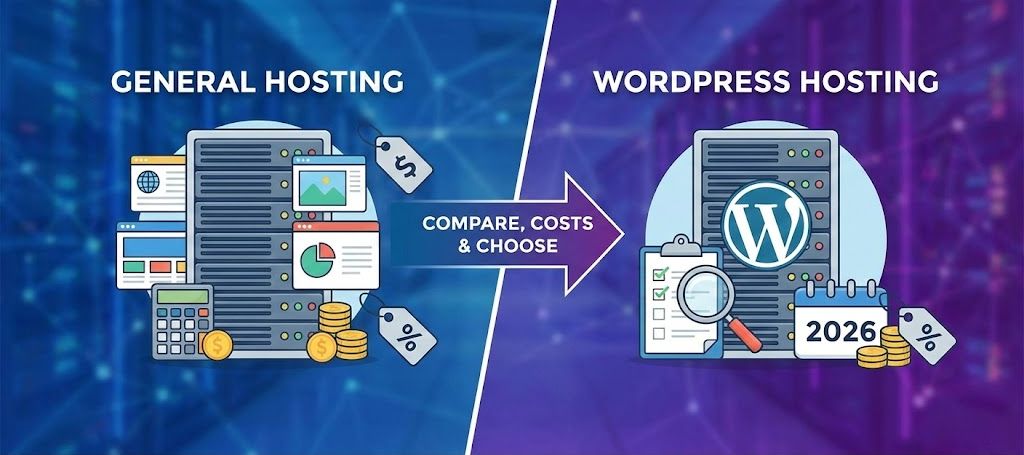
אז, אתם בוהים בכל תוכניות האחסון האלה, אחסון אתרים רגיל, אחסון וורדפרס, מנוהל, שיתופי, עננים... ואתם אבודים. אל דאגה, אתם לא היחידים שתהו, "מה ההבדל האמיתי בין אחסון אתרים לאחסון וורדפרס?" הנה הפירוט הכנה, זה לצד זה (עם סיפורים אישיים, טיפים של מקצוענים, ובלי לייפות את המציאות) שישאיר אתכם בטוחים באמת בבחירת הספק הנכון לבלוג, לחנות או להשקה העסקית הבאה שלכם, אפילו אם סבתא שלכם תבקש מכם עצה אחר כך. בואו נסיר את הלוט ונחתוך דרך ההייפ השיווקי...
נקודות מפתח
- אחסון סטנדרטי מציע גמישות ומשתלם למתחילים, אך דורש ניהול ידני של עדכונים, אבטחה וגיבויים.
- אחסון וורדפרס מותאם במיוחד לאתרי וורדפרס, ומספק מהירות מובנית, אבטחה, עדכונים אוטומטיים ותמיכה של מומחים.
- בחרו באחסון וורדפרס מנוהל אם אתם מעריכים נוחות, ביצועי אתר טובים יותר וזקוקים לפיצ'רים ספציפיים לוורדפרס עבור העסק או החנות הצומחת שלכם.
- אחסון שיתופי הוא נקודת התחלה מצוינת לחובבים, אך ככל שהאתר שלכם גדל או הופך לקריטי לעסק, מומלץ לשדרג לאחסון וורדפרס מנוהל.
- בחירת האחסון הטובה ביותר תלויה בכישורים הטכניים שלכם, סוג האתר, ציפיות הצמיחה והנכונות לנהל משימות תחזוקה בעצמכם.
- שקלו את העלות הכוללת; כולל תוספים, גיבויים וזמן תחזוקה; כאשר אתם מחליטים בין אחסון אתרים לאחסון וורדפרס כדי להימנע מהוצאות נסתרות.

מתחילים מהר עם אחסון שיתופי
הדרך הכי פשוטה ומשתלמת לעלות לאוויר. כולל SSL, CDN וביצועים יציבים.
עיינו בחבילותאחסון אתרים מול אחסון וורדפרס: תקציר (TL;DR): במה כדאי לבחור?
תשובה קצרה:
- בחרו באחסון אתרים רגיל אם אתם רוצים גמישות, מריצים סוגים שונים של אתרים, או שאתם אוהבים להתעסק בטכנולוגיה ("tinkerer").
- בחרו באחסון וורדפרס אם אתם רוצים עדכונים ללא מאמץ, מהירות תגובה, אבטחה סולידית, ואתם מריצים רק וורדפרס.
שורה תחתונה: אם בנייה, הרחבה (scaling) או אבטחה של וורדפרס הם כאב ראש עבורכם, אחסון WP מנוהל (כמו Devoster) בדרך כלל שווה כל אגורה עבור השפיות שלכם (ולוח זמני השינה). חובבים? אחסון שיתופי הוא זול וקל להתחלה, אבל זה לא קסם. צללו פנימה כדי לראות מה מתאים לכם...
מהו אחסון אתרים? (סוגים, יתרונות וחסרונות)
אחסון אתרים הוא פשוט השכרת חלקת אדמה קטנה באינטרנט לשים בה את האתר שלכם, כדי שאנשים יוכלו באמת לבקר בו. אבל לא כל החלקות נבראו שוות. הנה הפירוט:
אחסון שיתופי: הגדרה, משתמשים אידיאליים, מגבלות
הגדרה: כמו לשכור חדר באכסניה עם עשרים זרים (כולם חולקים שירותים אחד).
טוב ל: אתרים אישיים חדשים, בלוגים מזדמנים, פרויקטי ניסיון: כל מי שחוסך כל שקל.
חסרונות: האטה אם השכן הרועש שלכם הופך ויראלי: משאבים מוגבלים: אתם מטפלים בעדכונים, גיבויים ואבטחה.
אחסון VPS: מתי להשתמש בו והיתרונות שלו
הגדרה: דירה משלכם בבניין. יותר מקום, מטבח משלכם (משאבים), פחות הפרעות.
נהדר ל: אנשי טכנולוגיה, עסקים קטנים, מפתחים שצריכים יותר שליטה. אתם יכולים להתקין תוכנות מותאמות אישית ודברים מורכבים.
הצד השלילי: התחזוקה עליכם. (או על חברכם המפתח חסר המזל).
אחסון ענן ופתרונות סקיילביליים
הגדרה: זה כמו Airbnb לאתר שלכם, שגדל באורח פלא אם אתם עושים מסיבה גדולה.
מי צריך את זה? עסקים עם קפיצות תעבורה לא צפויות (כמו קמפיינים ויראליים), סוכנויות, אפליקציות SaaS.
יתרונות: תמחור לפי שימוש, זמינות גבוהה, גדילה אוטומטית (auto-scaling).
חסרונות: יכול להתייקר מהר: עקומת למידה תלולה מעט יותר.
אחסון ייעודי ואפשרויות אנטרפרייז
הגדרה: סוויטת הפנטהאוז, הכל שלכם (שרת מלא).
הכי טוב ל: אתרי ענק, ארגונים גדולים, איקומרס רציני, תחשבו אמזון, לא הבלוג של האחיין שלכם.
אחסון מנוהל מול לא מנוהל: שליטה מול נוחות
אחסון מנוהל: מומחי שרתים שומרים על הכל בשבילכם: עדכונים, טלאי אבטחה, קסמי מהירות אתר. עולה יותר, אבל הרבה פחות עשה-זאת-בעצמך.
לא מנוהל: אתם הבוס... וגם השרת. שליטה מלאה, אבל אתם מטפלים בכל כאבי הראש.
דיבור אמיתי: פעם התקמצנתי על VPS לא מנוהל עבור הלקוח הראשון שלי, ובטעות מחקתי אותו במהלך שדרוג תוסף 'תמים'. למדתי את הלקח: אתה מקבל מה שאתה משלם עליו.
מהו אחסון וורדפרס? (מנוהל, וורדפרס שיתופי, ענן WP)
לא כל אחסון וורדפרס נברא שווה, זה נע בין אולטרה-זול לשירות כפפות משי יוקרתי. הנה מה שקורה:
אחסון וורדפרס מנוהל: תכונות ומה כלול
משמעות: כל סביבת האחסון שלכם תפורה בדיוק לוורדפרס. תחשבו: כיוונוני אבטחה, הגברות מהירות (כמו מטמון מובנה), תמיכת מומחים.
שמות גדולים: Devoster, WP Engine, Kinsta, Flywheel.
הטבות: עדכונים אוטומטיים, גיבויים יומיים, סריקת תוכנות זדוניות, אתרי סטייג'ינג בלחיצה אחת, תמיכה המיומנת בוורדפרס. אושר צרוף (אוקיי, אולי לא אושר, אבל קרוב).
תוכניות וורדפרס שיתופיות מול פתרונות מנוהלים טהורים
אחסון WP שיתופי: שרתים שיתופיים סטנדרטיים עם כיוונונים בסיסיים (לפעמים מינימליים) ספציפיים לוורדפרס. בדרך כלל זול יותר, מוצע לעתים קרובות על ידי מותגי ענק (חשבו Bluehost, HostGator).
WP מנוהל טהור: מותאם לחלוטין, רק וורדפרס מורשה, תמיכה מהירה יותר, בדרך כלל תקרות משאבים גבוהות יותר, וסבירות נמוכה הרבה יותר שייפרצו אליכם בגלל אתר לא מעודכן של מישהו אחר באותו שרת.
ההבדלים בין WordPress.com ל-WordPress.org
WordPress.com: הכל-כלול, השרתים שלהם, שליטה נעולה, תשלום חודשי. מהיר אבל תוספים/תבניות מוגבלים אלא אם משדרגים ב-$$$. מושלם אם אתם לא רוצים להתעסק עם קוד.
WordPress.org: אפליקציית קוד פתוח שאתם מארחים בכל מקום (השתמשו ב-WP מנוהל, ענן או שיתופי). גמישות מלאה, שליטה טוטאלית, כל התוספים והתבניות שאתם רוצים (לטוב ולרע).
השוואה ראש בראש: אחסון אתרים מול אחסון וורדפרס
בואו נחתוך דרך הדברים השיווקיים, הנה מה שבאמת משנה:
| תכונה | אחסון סטנדרטי | אחסון וורדפרס |
|---|---|---|
| ביצועים | משתנה מאוד, תלוי בקונפיגורציה | מכוון ל-WP, מטמון מובנה, לרוב מהיר יותר |
| אבטחה | אתם אחראים חלקית | לרוב כולל חומות אש, סריקות תוכנות זדוניות, עדכונים אוטומטיים |
| תמיכה | עזרה כללית לאינטרנט | מומחי WP, ידע בתוספים/תבניות |
| קלות שימוש | הקמה יכולה להיות מסובכת | בדרך כלל התקנות בלחיצה אחת, סטייג'ינג, כלי אתר |
| גמישות | התקינו כל דבר | לפעמים מגביל תוספים, אבל סופר יציב |
| סקאלביליות | צריך לשדרג כשהאתר גדל | בדרך כלל יש סקיילינג קל ומובנה |
| מחיר | כניסה זולה יותר, תוספות בתשלום | יקר יותר, אבל מאגד יותר תכונות |
ביצועים ומהירות (מטמון, PHP, TTFB, CDN)
תוכניות WP מנוהלות הן כמו מכוניות מרוץ המכוונות בדיוק לוורדפרס, מטמון מובנה, PHP חדש יותר, מסדי נתונים מותאמים. ספקים רגילים? זה תלוי בכם לכוונן דברים (או לשלם לבן דוד ה-IT שלכם). הגדרת CDN היא בדרך כלל בלחיצה אחת ב-WP מנוהל.
אבטחה וגיבויים (WAF, סריקת תוכנות זדוניות, גיבויים אוטומטיים)
ספקים כלליים לרוב משאירים אתכם אחראים, רוצים גיבויים? התקינו תוסף משלכם או עבודת כרון (cron job). ב-WP מנוהל: גיבויים יומיים, חומת אש והגנה מפני תוכנות זדוניות מגיעים כסטנדרט.
תמיכה ומומחיות ספציפית לוורדפרס
זה המקום שבו ספקים כמו Devoster זורחים. זה יום ולילה לדבר עם מישהו שבאמת מבין תבניות/תוספי וורדפרס לעומת מוקד עזרה גנרי שמקריא תסריטים.
קלות שימוש: הקמה, סטייג'ינג, עדכונים אוטומטיים
ספקים שיתופיים או גנריים: יותר שלבי הקמה, עדכוני תוספים/תבניות ידניים.
אחסון וורדפרס: סטייג'ינג בלחיצה אחת, עדכוני ליבה/תוספים/תבניות אוטומטיים, כאב הראש נעלם.
גמישות ושליטה: הגבלות תוספים, גישה לשרת, סטאקים מותאמים אישית
רוצים להתקין את תוכנת הפורום המוזרה הזו, או להתנסות ב-Node.js? תצטרכו אחסון סטנדרטי. צריכים וורדפרס צפוי ויציב? WP מנוהל עשוי לנעול חלק מהתוספים (במיוחד תוספי מטמון/גיבוי, כי הם כבר מטפלים בזה).
סקאלביליות ומגבלות משאבים (רוחב פס, CPU, מסד נתונים)
אחסון ענן/WP מנוהל הופך את השדרוג לכמעט מיידי. בתוכניות שיתופיות תקציביות, צמיחה בדרך כלל משמעותה הגעה לתקרות (והשעיות אפשריות).
השוואת מחירים ועלויות נסתרות
תוכניות סטנדרטיות נראות זולות יותר אבל גובות מכם על כל דבר קטן עבור גיבויים, אבטחה ועזרה מקצועית. WP מנוהל הוא ישיר, מחיר מדבקה גבוה יותר, אבל הרבה פחות הפתעות של "אה, שכחתי לקנות X".
יתרונות וחסרונות: אחסון אתרים מול אחסון וורדפרס (רשימה ברורה זה לצד זה)
בואו נהיה אמיתיים עם קצת כביסה מלוכלכת משני הצדדים:
היתרונות המובילים של אחסון אתרים סטנדרטי
- סופר גמיש: התקינו כל CMS/אפליקציה (Drupal, Joomla, Magento, אפילו פלטפורמת אתגרי הקוד הנישתית ההיא).
- הכי זול בהתחלה.
- יותר שליטה, גישת cPanel/SSH מלאה.
היתרונות המובילים של אחסון וורדפרס
- נבנה למהירות, באמת הופך אתרי WP למהירים יותר מהקופסה.
- תחזוקה ללא מגע יד אדם: גיבויים, עדכונים, בדיקות תוכנות זדוניות הם כאב ראש של מישהו אחר.
- תמיכה מועילה באמת לבעיות וורדפרס.
- סטייג'ינג בלחיצה אחת, SSL קל, העברת אתר פשוטה.
חסרונות ופשרות נפוצים לכל אחד
| סוג אחסון | חסרונות |
|---|---|
| אחסון סטנדרטי | יותר תחזוקה: מהירות האתר עליכם: יכולים להיפרץ על ידי שכנים: התמיכה לא תיגע בתוספים שלכם |
| אחסון WP | פחות גמישות טכנולוגית: אי אפשר להתקין סתם כל דבר: תמחור פרימיום לעומת ספקים זולים במיוחד |
אני זוכר שעזרתי ללקוח "לחסוך כסף" עם אחסון בסיסי, הוא הוציא כפול על לשכור אותי כדי לפתור האטות ותוכנות זדוניות מאוחר יותר. חכם על קטנים, טיפש על גדולים.
מי צריך לבחור במה? תרחישי שימוש והמלצות
לא כל הספקים מתאימים לכולם, הנה האמת לאמיתה, בלי לייפות, למצבים אמיתיים (הציצו בשלכם):
בלוגרים חובבים ואתרים קטנים: אפשרויות ממוקדות תקציב
משחקים בזה? לכו על אחסון שיתופי זול. שדרגו רק אם אתם גדלים מעבר לזה.
דוגמה: הבלוג "ביקורות קפה חתולים" של מיכל שגשג על אחסון של 3$ לחודש במשך שנתיים עד שפיצ'ר ב-Buzzfeed הפיל אותו. (היא עברה ל-WP מנוהל לאחר מכן.)
עסקים קטנים ואתרי שירותים: צרכי אמינות ותמיכה
המוניטין ויצירת הלידים שלכם תלויים בזמינות (uptime), מהירות, ולא להיפרץ. כאן, אפשרויות וורדפרס מנוהלות (כמו Devoster או Kinsta) משתלמות, התמיכה לבדה יקרת ערך במהלך קריסת התוסף הראשונה שלכם בחצות.
אתרי איקומרס (WooCommerce): צרכי ביצועים וסקיילינג
קפיצות בתעבורה הורגות ספקים זולים. WP מנוהל אומר מטמון חכם, חומרה חזקה יותר, גיבויים תמידיים.
"חנות הצמחים של ג'ייק", אחרי שהגיע ל-5,000$ ביום, הוא שילם על WP מנוהל והפסיק להילחץ מהאטות בכל מכירה.
מפתחים, סוכנויות ומפרסמים עם תעבורה גבוהה: דרישות התאמה אישית וסטייג'ינג
אתם תגדלו מעבר לתוכניות שיתופיות מהר. חפשו WP מנוהל עם תכונות מתקדמות (CLI, מולטי-סייט, סטייג'ינג). או הרימו סטאק משלכם על ענן/VPS אם אתם רוצים את כל הכפתורים.
טיפ מקצועי: ספקים רבים מציעים הגירות חינם, אל תישארו תקועים מתוך אינרציה.
מסגרת החלטה: צ'קליסט צעד-אחר-צעד לבחירת ספק
הנה מפת החלטה לבדיקת בטן, תפסיקו לנחש, תתחילו לסמן תיבות:
צ'קליסט ציפיות תעבורה, תוכניות צמיחה וסקאלביליות
- מצפים לפחות מ-1,000 מבקרים בחודש למשך שנה? שיתופי זה בסדר.
- מקווים להגיע ל-10,000+, או לא יכולים לחזות קפיצות (פוטנציאל ויראלי)? וורדפרס מנוהל/ענן מנצח בגמישות.
- העסק שלכם צומח? מצאו ספק עם נתיבי שדרוג חלקים.
צ'קליסט דרישות אבטחה, תאימות וגיבוי
- צריכים טיפול בנתוני GDPR, PCI/DSS (לאיקומרס), או HIPAA? WP מנוהל מציע לעתים קרובות מסמכי תאימות ברורים יותר.
- האם אתם יכולים להריץ גיבויים קבועים ולנטר תוכנות זדוניות בעצמכם? אם זה נשמע כמו מטלה, מנוהל = שפיות.
קריטריוני ביצועים ו-SEO להערכת ספקים
- תמיכה ב-HTTP/2 או 3 מקורי, PHP 8.x = סמן וי.
- CDN מובנה ויתיר? (ל-Devoster ודומים יש את זה.)
- ניטור פרואקטיבי (זמינות, עומס שרת) ואופטימיזציות תמונה/קובץ.
SLA תמיכה, סיוע בהגירה והבטחות זמינות
- קראו את האותיות הקטנות: 99.9% זה לא תמיד טוב כמו שזה נשמע (שאלו אם זה נמדד חודשית או שנתית).
- האם הם עוזרים בהגירות, או לפחות מחזיקים לכם את היד?
- שעות תמיכה: אדם חי 24/7 או רק כרטיסי אימייל?
אם אתם מרגישים תקועים, צלמו את המסך של הצ'קליסט הזה ותחקרו את כל הספקים ברשימה הקצרה שלכם עד שתהיו בטוחים.
השוואת עלויות עם דוגמאות מחיר אמיתיות ו-TCO
בואו נפתח את הארנק. הנה מה שאתם באמת משלמים:
טווחי מחירים אופייניים: שיתופי, וורדפרס מנוהל, VPS, ענן
| סוג אחסון | מחיר כניסה/חודש | טווח אופייני |
|---|---|---|
| אחסון שיתופי | $2–$10 | $5–$12 |
| WP מנוהל | $10–$25 | $20–$40 |
| VPS | $15–$70 | $40–$150 |
| ענן | $12–$80 (תשלום לפי שימוש) | $30–$150+ |
ה-WP המנוהל של Devoster: מתחיל ב-~$15/לחודש לאתר יחיד, עם סטייג'ינג אמיתי בקליק אחד ותמיכה ברמה מקצועית.
חישוב עלות הבעלות הכוללת (תחזוקה, תוספים, זמן מפתח)
אל תשכחו...
- תוספים נוספים (גיבוי, מטמון, אבטחה): $60–200/לשנה לאחסון סטנדרטי. כלול בתוכניות מנוהלות.
- תחזוקה עצמית: השעות שלכם שוות כסף (גם אם אתם מתעלמים מגלגולי העיניים של בן/בת הזוג בזמן דיבוג PHP).
- הפסדי זמינות: ספקים זולים עלולים ליפול יותר, כמה שווה יום אופליין לעסק שלכם?
טיפ מקצועי: תמיד הוסיפו SSL, גיבויים, בדיקות תוכנות זדוניות, תבניות פרימיום, וזמן בילוי במאבק עם יומני שגיאות.
מדריך הגירה: מעבר מאחסון שיתופי לאחסון וורדפרס (ולהפך)
הגירה לא חייבת להיות מופע אימים, אם מתכננים מראש.
צ'קליסט לפני הגירה (גיבויים, תוספים, DNS)
- גיבוי מלא (אתר ו-DB)
- רשימת כל התוספים/תבניות: בדקו תאימות בספק החדש
- עדכנו TTL של DNS לערך נמוך (עוזר במעבר)
- תקשרו השבתה/שינויים למשתמשים במידת הצורך
הגירה צעד-אחר-צעד (ייצוא/ייבוא, DB, קבצים, מעבר DNS)
- ייצאו את האתר/נתונים (דרך תוסף WP כמו Duplicator, או ה-cPanel של הספק שלכם)
- ייבאו ללוח הבקרה של הספק החדש שלכם (ל-WP מנוהל יש לרוב ייבוא בקליק אחד)
- עדכנו פרטי מסד נתונים אם עוברים ידנית
- עדכנו DNS להצביע לאתר החדש
אימות לאחר הגירה ופתרון בעיות נפוצות
- בדקו קישורים שבורים, תמונות חסרות, או התנגשויות תוספים/תבניות
- בדקו טפסים, שליחת אימייל, שערי תשלום
- נקו את כל המטמונים, דפדפן, תוסף וצד-שרת
אם הגלגלים נופלים, פנו לתמיכה, ספקים מנוהלים אמיתיים (שוב, Devoster בולט כאן) יעזרו לתקן תקלות.
השפעת ביצועים ו-SEO: בדיקות, בנצ'מארקים וטיפים לאופטימיזציה
רוצים אתר זריז שגוגל מחבק? בחירת אחסון היא מנוף ענק.
מדדי מפתח למדידה (LCP, CLS, TTFB, FCP)
- LCP (Largest Contentful Paint): כמה מהר התוכן העיקרי שלכם מוצג
- CLS (Cumulative Layout Shift): האם הדף קופץ בזמן הטעינה?
- TTFB (Time to First Byte): כמה מהר השרת מתחיל להגיב
- FCP (First Contentful Paint): מתי מופיע תוכן כלשהו
אופטימיזציות ברמת השרת (PHP-FPM, OPcache, HTTP/2, Brotli)
ספקים טובים (כמו Devoster, Kinsta) מציעים PHP-FPM, OPcache ודחיסת Brotli למהירות מקסימלית. תמיד בחרו ב-HTTP/2 או טוב יותר.
אופטימיזציות ספציפיות לוורדפרס (תוספי מטמון, טעינה עצלה של תמונות, CDN)
WP מנוהל בדרך כלל מאגד את כלי המטמון ומשלוח התמונות הטובים ביותר. בספקים סטנדרטיים, תצטרכו להגדיר ולנטר את אלה, לא מדע טילים, אבל זה מצטבר לאורך זמן.
אינטגרציית CDN היא לעתים קרובות בקליק אחד בספקי ה-WP הטובים ביותר. יש לכם מבקרים גלובליים? אתם צריכים את זה.
מקרים לדוגמה ודוגמאות בנצ'מארק (בדיקות מהעולם האמיתי למילוי פערים)
רוצים את הלכלוך מאנשים שכיסחו את זה, או חוו שברון לב דיגיטלי? סיפורים אמיתיים לפנינו:
בלוג בעלות נמוכה, ביצועים צפויים ומגבלות
הבלוג "מחשבות יוגה" של שרה שגשג על אחסון של 3$ לחודש... עד שקפיצה פתאומית מנעץ ויראלי בפינטרסט הגיעה. ה-TTFB שלה קפץ מ-300ms ל-3.2s. לקח שנלמד: היו מוכנים לעבור למעלה מהר אם התוכן שלכם מקבל תשומת לב.
חנות WooCommerce צומחת, סיפור הגירה וסקיילינג
עבור 'מערת הקפה', האתר שלהם זחל כל בלאק פריידיי, התמיכה האשימה "מגבלות משאבים". אחרי שהם עברו ל-WP מנוהל (Devoster), זמני טעינת הדף שלהם ירדו מ-4.2s לפחות מ-1s, והכנסות החנות קפצו ב-15% בשבוע הראשון.
מה אתם יכולים ללמוד:
- אל תחכו לאסון. בדקו את ה-TTFB ו-PageSpeed הנוכחיים שלכם, והשוו מול ספקים מותאמים ל-WP.
- תקופות ניסיון חינם קיימות (Devoster מציעה הגירות ותקופות מבחן), השתמשו בהן לפני שאתם עוברים עם כל הקופה.
מיתוסים נפוצים ומיסקונספציות לגבי אחסון וורדפרס
בואו נהרוג כמה מיתוסים עייפים:
"חייבים להשתמש באחסון וורדפרס לאתרי וורדפרס", אמת או מיתוס?
מיתוס. וורדפרס רץ על כל סטאק סטנדרטי של PHP/MariaDB/LAMP. אבל, אתם תעשו בייביסיטר לאבטחה, עדכונים וביצועים בעצמכם אלא אם כן זה מנוהל.
"מנוהל אומר שאין שליטה", הבהרת רמות אחסון מנוהל
מנוהל הוא ספקטרום. חלק מהספקים (Devoster, Kinsta) נותנים לכם SSH, WP-CLI, קונפיגורציות NGINX מותאמות אישית: אחרים נעולים לגמרי. תמיד בדקו את האותיות הקטנות.
שעת סיפור: חבר שלי העביר את האתר העסקי שלו ל-WP מנוהל, הוא הרוויח מהירות + תמיכה, אבל התאבל על אובדן ה-cPanel לאפליקציית מיפוי הטקסטיל שלו. דעו את זרימת העבודה שלכם לפני שאתם קופצים.
אבטחה, תאימות ושיקולי פרטיות (GDPR, HIPAA, גיבויים)
פרטיות נתונים היא יותר מצ'קליסט, היא הגנה על אנשים אמיתיים. הנה הנוף:
תכונות אחסון רלוונטיות לתאימות ותושבות נתונים
ספקים מנוהלים כמו Devoster מציעים בדרך כלל מדיניות GDPR ברורה, גיבויים מוצפנים קבועים ותושבות נתונים מפורשת (בחרו את אזור השרת שלכם). צריכים HIPAA או PCI? בקשו מסמכי ביקורת/תאימות, וחפשו ספקים עם תעודות בסיסיות ונספח DPA.
ב-VPS/ענן שיתופי, אתם עשויים להיות אחראים לתאימות (במיוחד לאתרי איקומרס/בריאות), ולגיבויים שלכם.
טיפ מקצועי: מעידת תאימות היא לא רק כאב ראש משפטי, היא סיוט יחסי ציבור (PR). בדקו פעמיים, במיוחד אם אתם מטפלים בנתוני אירופה או נתונים רגישים.
שאלות נפוצות (FAQ): אחסון אתרים מול אחסון וורדפרס
האם אני יכול להריץ וורדפרס על כל אחסון אתרים?
כן, כל עוד הוא תומך ב-PHP ו-MySQL, אבל אחסון WP מנוהל עושה את העבודה הקשה בשבילכם (מהירות, אבטחה, עדכונים).
האם אחסון וורדפרס שווה את העלות הנוספת?
אם הזמן, האבטחה או העסק שלכם תלויים באתר שלכם: כן. לחובבים או לומדים: נסו אחסון רגיל, שמרו את הכסף שלכם, ושדרגו ברגע שכאבי הראש או הפריצות מגיעים.
אילו תכונות עלי לצפות באחסון וורדפרס מנוהל?
גיבויים יומיים, סריקות תוכנות זדוניות, סטייג'ינג, תמיכה מהירה כברק, אינטגרציית תמונה/CDN, לעתים קרובות הגירות בקליק אחד. (Devoster מספקת את אלה.)
מתי כדאי לשדרג משיתופי לוורדפרס מנוהל או VPS?
כשהשבתה או מהירות איטית פוגעות בארנק שלכם, או כשהתחזוקה נוגסת בזמן הנטפליקס שלכם. מגיעים לשיא של 3–5 אלף ביקורים בחודש? הגיע הזמן לעבור למעלה.
המלצות סופיות ותרשים זרימה להחלטה (בחרו את התוכנית שלכם לפי צרכים)
הנה מדריך מהיר (הדפיסו אותו, קעקעו אותו, מה שעובד.).
המלצות להתחלה מהירה: הבחירות הטובות ביותר לפי מקרה שימוש (בלוג, עסק, איקומרס, סוכנות)
- רק בלוגינג/תחביב: אחסון שיתופי (שדרגו אם אתם מקבלים קפיצות תעבורה)
- עסק קטן/ספק שירות: וורדפרס מנוהל (Devoster, WP Engine, Kinsta)
- איקומרס צומח (WooCommerce): WP מנוהל, תוכנית פרימיום
- סוכנות/מפתח, מולטי-סייט/לקוחות: VPS/ענן עם תמיכת מומחים, CLI, סטייג'ינג
תרשים זרימה:
- [התחלה: מה אתם בונים?]
- אתר וורדפרס בלבד? -> לא -> בונים משהו אחר (Drupal, אפליקציה, מולטי-CMS)? -> השתמשו באחסון סטנדרטי או VPS
- כן -> האם אתם שונאים להתעסק עם התנגשויות תוספים, גיבויים, עדכונים וכו'? -> כן -> קחו אחסון WP מנוהל (Devoster)
- לא -> האם אתם מפתחים שצריכים מקסימום גישה? -> כן -> שקלו VPS או אחסון ענן
- לא -> בתקציב סופר לחוץ? -> כן -> השתמשו באחסון וורדפרס שיתופי, אבל תכננו לשדרג.
העצה הסופית שלי: אם האתר שלכם הוא הבייבי שלכם, העסק שלכם, או הפרויקט היצירתי הגדול ביותר שלכם, השקיעו באחסון מנוהל אמיתי, באופן אידיאלי עם ספק שהוא יותר כמו שותף (שיעול* Devoster *שיעול). החיים נהיים קלים יותר, ויהיו לכם סיפורי הצלחה, לא לחץ. יש לכם שאלות או סיפורים משלכם? זרקו אותם בתגובות, אשמח להחליף סיפורי קרב.

מוכנים לחוות את Devoster?
הצטרפו לאלפי לקוחות מרוצים עם תמחור שקוף ואחסון מהיר במיוחד.