אחסון Next JS: הפלטפורמות הטובות ביותר, מחירים ומדריך פריסה
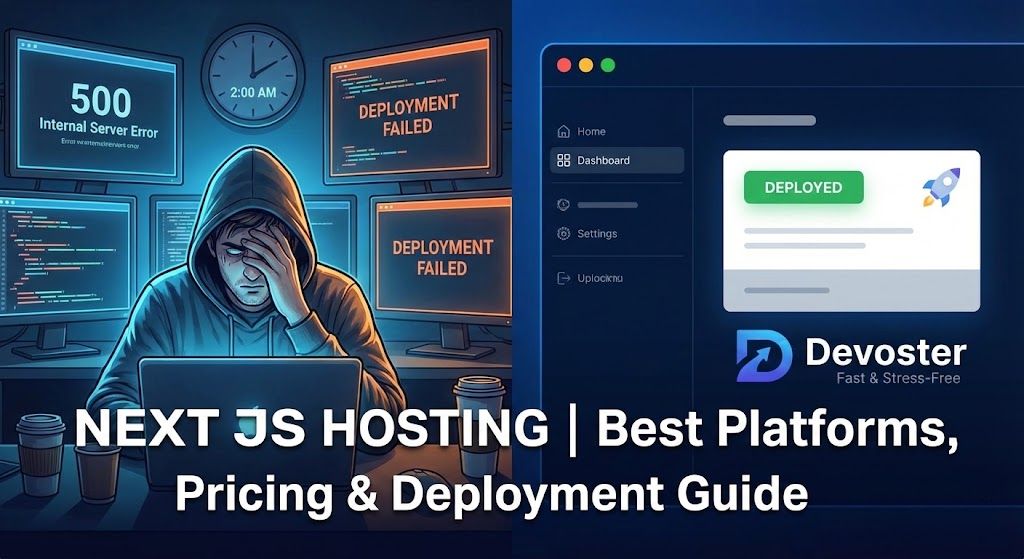
בואו נהיה כנים, לאחסן את Next.js זה לא בדיוק כמו להחליט איפה לאכול ארוחת ערב (למרות שרמז: אף אחת מהבחירות לא נגמרת טוב אם ממהרים). אם אי פעם מצאתם את עצמכם בתוך מחילת ארנב של Reddit מאוחר בלילה, מדשדשים דרך סיפורים על שגיאות 500 ו-Cold Starts מסתוריים, אתם כבר יודעים שאחסון Next.js לא נכון יכול להפוך פרויקט חלומי לטיפול בדיבאגינג טהור. היי, הייתי שם, פורס את אפליקציית ה-Next.js הרצינית הראשונה שלי ב-2 לפנות בוקר, קפאין ביד אחת, גוגל ביד השנייה. בין אם אתם בונים פורטפוליו קטנטן, את ה-MVP החדש של הסטארטאפ שלכם, או מכינים אתר שצריך לשרוד השקת מוצר ב-Product Hunt, אתם עומדים לקבל את כל מה שאתם צריכים כדי לבחור את סט-אפ האחסון הנכון ל-Next.js. בלי ז'רגון, בלי שיחות מכירה, רק מדריך שטח, שלם עם תקלות ששוות תמונה והניצחונות המהירים שהלוואי והייתי מכיר מהיום הראשון (פלוס האחסון מס' 1 שאני ממליץ עליו כרגע: Devoster).
אז קחו קפה, תמתחו את אצבעות הפריסה, ובואו נעלה את אפליקציית ה-Next.js שלכם לאוויר, מהר, ובלי לחץ.
עיקרי דברים
- בחירת אחסון ה-Next.js הנכון תלויה בצרכי הפרויקט שלכם, מפלטפורמות אפס-קונפיגורציה כמו Devoster ו-Vercel למהירות, ועד AWS או DigitalOcean לשליטה מקסימלית.
- פתרונות אחסון Next.js מציעים פיצ'רים משתנים כמו SSR, פונקציות Edge, CDN לתמונות, ומודלי תמחור, כך שהתאמת הסטאק הטכנולוגי שלכם אליהם היא קריטית לביצועים ויעילות כלכלית.
- Devoster בולטת בזכות פריסה מהירה כברק, מטמון Edge אוטומטי, וסקייל ללא לחץ, מה שהופך אותה למומלצת מאוד גם למתחילים וגם לסטארטאפים.
- אופטימיזציה של אסטרטגיות מטמון, מסירת תמונות, והגבלת SSR היכן שאפשר יכולים לשמור על חשבון אחסון ה-Next.js שלכם נשלט ואת האפליקציה שלכם מהירה.
- תמיד בצעו פריסת ניסיון במספר ספקי אחסון Next.js, נטרו לוגים, ואמתו לאחר המיגרציה כדי לתפוס בעיות לפני המשתמשים שלכם.
למה משתמשים מתכוונים באחסון Next.js: כוונה, צרכים ותשובות מהירות
בואו ננפץ מיתוס: כשאנשים אומרים "אחסון Next.js", הם יכולים להתכוון לדברים שונים לחלוטין. חלק רוצים פרסום בקליק אחד לפרויקט הצד שלהם. אחרים נאבקים עם SSR, פונקציות Edge, ואופטימיזציית תמונות גלובלית לעסק שמופגז בתנועה חיה.
משתמשים בדרך כלל נופלים לכמה דליים:
- מתחילים, שרוצים אחסון פשוט, מהיר, וש-אף-אחד-לא-מתקשר-אליך-ב-2-בלילה.
- סטארטאפים וסוכנויות, שמג'נגלים עלות מול סקייל ודברים כמו SSR, נתיבי API, או אימות.
- צוותי אנטרפרייז, שרודפים אחרי זמינות (Uptime), SLAs, וצ'קליסטים של ציות ארוכים יותר מקבלה של סופרמרקט.
אתם כנראה רוצים:
- פריסה שפויה: אפס ניחושים כדי להעלות בילדים לאוויר.
- תמיכה ב-SSR/ISR: לתוכן דינמי או SEO מטורף של "גוגל רוצה את זה מהר".
- ביצועים כוכביים: CDN, מינימום Cold Starts, CDN לתמונות...
- סקייל עלויות טוב: כדי שלא תבכו כשהאפליקציה שלכם מגיעה לעמוד הראשי של Hacker News.
- אבטחה: לפחות TLS/HTTPS וכיסוי בסיסי של WAF/DDOS.
הנה שליף מהיר עבורכם: אם אתם רוצים:
- הנתיב הכי מהיר וקל? Vercel או Devoster.
- סקייל ותשתית מותאמת אישית? AWS/Render/DigitalOcean.
- שליטה מוחלטת? הרימו לבד עם Node/Docker/K8s.
אבל השטן נמצא בפרטים, ותרצו את התמהיל הנכון לפרויקט שלכם. בואו נפתח את מה שיש בחוץ.
סוגי אחסון Next.js (מנוהל, PaaS, VPS, Serverless, אירוח עצמי)
פלטפורמות מנוהלות לחלוטין (Vercel, Netlify), יתרונות וחסרונות
החלום למתחילים ולשדים של מהירות. אחסון מנוהל לחלוטין אומר, בעצם, שאתם עושים git push, הם מטפלים ב... הכל. Vercel היא ה-OG כאן, היוצרת של Next.js, פריסות תצוגה מקדימה בקליק אחד, פונקציות Edge, CDN מובנה, SSR/ISR/Image CDN, כל החבילה. טיפ מקצועי? Netlify נכנסה חזק עם תמיכה מפוארת ב-Next.js לאחרונה, אבל עדיין מפגרת בקצת פיצ'רים של Edge/Runtime ו-ISR לפי דרישה.
יתרונות:
- אפס קונפיגורציה, CDN אוטומטי, תצוגות מקדימות לפריסה
- SSR/ISR/Edge אמיתי
- אנליטיקה מובנית, חלק עם מסלולים חינמיים
חסרונות:
- יכול להיות ממש יקר מעל תחביב או טיר בינוני
- נעולים לתוך צינור הבנייה/ריצה שלהם
- פחות גמישות אם אתם רוצים שרתים מותאמים אישית מלאים
ספקי PaaS וענן (Render, AWS Amplify, DigitalOcean App Platform)
אתם מקבלים יותר כפתורים, לעתים קרובות ערך טוב יותר לעומסי עבודה גדולים, ויכולים להביא CI משלכם, מסדי נתונים, דומיינים, מה שתרצו. Render עושה עבודה נהדרת בפישוט פריסות, אבל אם אתם צריכים SSR אמיתי בסקייל או API+סטטי היברידי, AWS Amplify ו-DigitalOcean App Platform מציעות יותר גרנולריות (אם כי יותר הגדרות).
מעולה אם: אתם בדרג ביניים או גדלים, רוצים איזון של שליטה ופשטות, או מתכננים לערבב את Next.js עם הרבה אינטגרציות לא סטנדרטיות.
ספקי Serverless / פונקציות Edge ו-CDNs
מרכז מילות הבאזז, אבל אל תפחדו. פריסה דרך פונקציית Edge אומרת שהלוגיקה בצד השרת שלכם רצה קרוב ככל האפשר למשתמשים, להתראות Cold Starts. חברות כמו Vercel, Netlify, ועכשיו Devoster מובילות כאן, פלוס תמיכה ניסיונית מ-Cloudflare Pages/Workers לחלק מפיצ'רים של Next.js. שווה בדיקה אם שיהוי נמוך חובק עולם הוא חובה.
אירוח עצמי: שרת Node, דוקר, ויצוא סטטי
כשאתם רוצים ללכת "שליט DevOps" מלא, אירוח עצמי נותן שליטה מקסימלית (ואחריות מקסימלית). תחשבו על שרת Node קלאסי (next start), אימג'ים של Docker, או אפילו אתרים סטטיים מיוצאים בלבד (next export). השתמשו ב-VPS (כמו DigitalOcean, Hetzner), שימו מאחורי Nginx/Caddy, חזקו עם Let's Encrypt, PM2, או אפילו צי Kubernetes מלא. היזהרו: אתם מנהלים הכל, כולל חידושי SSL וסקייל.
אנרדוטה מהירה: ביליתי סופ"ש בתיקון לולאת אתחול מחדש כושלת של PM2 כי האימג' של הדוקר שלי שכח לחשוף את הפורט הנכון. כיף חיים?
אחסון next js: השוואת פלטפורמות והמלצות מהירות
מטריצת המלצות: הכי טוב לתחביב, סטארטאפים, אנטרפרייז, וצרכי ביצועים גבוהים
אי פעם הלוואתם שהיה חידון באזפיד לאחסון? הנה הדבר הכי קרוב, בחרו את הנתיב שלכם:
| מקרה שימוש | בחירה מובילה | למה? |
|---|---|---|
| תחביב/פורטפוליו | Netlify | הכי קל, טיר חינמי נדיב |
| השקה הכי מהירה (אפס מאמץ) | Devoster | אפס קונפיגורציה, מהיר כברק, Edge+CDN |
| סטארטאפ/MVP | Vercel | גמיש, SSR חזק, אנליטיקה טובה |
| אנטרפרייז/סקייל גבוה | AWS/Render | סקייל מותאם, ציות, פול-סטאק |
| עשה-זאת-בעצמך/שליטה אולטימטיבית | אירוח עצמי | אתם שוברים את זה, אתם מתקנים את זה (גמיש) |
טיפ מקצועי: לכל דבר שאתם צריכים שירוץ אתמול, Devoster היא העלייה לכביש המהיר הכי חלקה, בלי הפתעות בהגדרות, פונקציות Edge אפויות בפנים. העברתי דמו של לקוח מ-Netlify ל-Devoster בפחות מ-30 דקות (עם תוספת חריף בצד).
טבלת השוואה (פיצ'רים, תמיכה ב-SSR/ISR, זמן ריצה Edge, CDN תמונות, מסלולי תמחור, סקייל)
| פיצ'ר/פלטפורמה | Vercel | Netlify | Devoster | Render | AWS Amplify | DigitalOcean |
|---|---|---|---|---|---|---|
| SSR/ISR | כן | חלקית | כן | כן | כן | כן |
| פונקציות Edge | כן | כן | כן | לא | חלקית | חלקית |
| CDN תמונות גלובלי | כן | חלקית | כן | מוגבל | כן | מוגבל |
| אפס-קונפיגורציה | כן | כן | כן | חצי | לא | לא |
| מסלול תמחור | $$ | חינם-$ | $ | $-$$ | $$$ | $ |
| סקייל | אוטומטי | אוטומטי | אוטומטי | ידני | אוטומטי | ידני |
(איפה ש-$ הוא יחסי, תריצו את המספרים שלכם. AWS יכולה להתחיל זול, לסיים יקר. התוכניות השקופות של Devoster הן הפתעה נעימה.)
אם אתם עדיין מתלבטים, אל תתביישו להרים פריסת ניסיון בשני ספקים. אפילו 30 דקות זה לצד זה מספרות לכם יותר משבוע של קריאת בלוגים.
צלילת עומק: איך לפרוס לפלטפורמות עיקריות (מדריכים צעד-אחר-צעד)
פריסה ל-Devoster, אפס-קונפיגורציה, פונקציות Edge, וטיפים לביצועים
Devoster היא הסטנדרט החדש לאחסון Next.js אם אתם מעריכים מהירות על פני התעסקות. הנה איך אתם יכולים לפרוס בפחות מ-5 דקות:
- חברו את הריפו שלכם: הירשמו, קשרו את פרויקט ה-GitHub, GitLab או Bitbucket שלכם.
- פריסה בקליק אחד: בחרו את הענף שלכם, Devoster מזהה אוטומטית את Next.js.
- בלי קונפיגורציה? אין בעיה. פונקציות Edge, CDN תמונות, ו-SSR/ISR מופעלים כברירת מחדל.
- דומיין מותאם אישית: הוסיפו, SSL מוקצה אוטומטית. אפילו סבתא שלי יכלה לעשות את זה אם היה לה דומיין וכוח רצון.
- למקצוענים: כווננו הוקים של בנייה, משתני סביבה, מטמון Edge... אבל אתם לא חייבים.
טיפ ביצועים: הפעילו אינבלידציה אוטומטית למטמון ואופטימיזציית תמונות לכל עמוד עמוס במדיה, Devoster עושה מטמון Edge כמו בוס.
פריסה ל-Netlify, זמן ריצה Next.js, ISR, ואופטימיזציות בנייה
Netlify נהיית רצינית לגבי Next.js, הנה איך להשתמש בפיצ'רים הכי טובים שלהם:
- דחפו ל-Main: המערכת של Netlify בונה אוטומטית פרויקטי Next.js (או פרסו דרך ה-CLI שלהם)
- הפעילו זמן ריצה Next.js: מוסיף תמיכה ב-ISR, SSR, וודאו שה-netlify.toml שלכם נכון
- הערת ISR: תומך רק באימות מחדש לפי דרישה (On-demand), לא ברקע (עדיין)
- CDN תמונות: פיצ'רים חלקיים (לא ממש ברמה של Vercel, אבל סולידי לצרכים בסיסיים)
- האיצו בניות: פצלו עמודים גדולים, הימנעו מיבוא תמונות בנתיבי API
פריסה ל-Render, שרת Node מול אתרים סטטיים
- פריסה סטנדרטית: חברו ריפו, Render בונה אוטומטית ומריצה על שרת Node (פקודת next start).
- יצוא סטטי: השתמשו ב-next export לאתרים סטטיים לחלוטין, שנפרסים אפילו מהר יותר (אבל, תגידו שלום ל-SSR)
- סקייל SSR: הקצאת RAM/CPU יכולה להגביל ביצועי SSR, שימו לב ל-502 אחרי "שעת האופס של קפיצות תנועה".
פריסה ל-AWS (דוגמאות Amplify, CloudFront + Lambdas, ECS/Fargate)
- Amplify: חברו ריפו, Amplify בונה אוטומטית Next.js (הפעילו SSR בהגדרות הבנייה).
- SSR עשה-זאת-בעצמך: השתמשו ב-Lambda@Edge+CloudFront ל-SSR/ISR (קריאה: למפתחים מתקדמים בלבד, קורא לכל מי שבאמת נהנה ממדיניות IAM).
- ECS/Fargate: פרסו Next.js בתוך דוקר והשתמשו ב-Application Load Balancer + ACM ל-SSL.
פריסה ל-DigitalOcean, פלטפורמת אפליקציות, Droplets, ו-Kubernetes מנוהל
- App Platform: חברו ריפו, בחרו Next.js, בונה אוטומטית, פורס מאחורי ה-CDN שלהם.
- Droplets: שרת VPS קלאסי, התקינו Node, שכפלו ריפו, ו-npm run start (הוסיפו PM2, Nginx, ותפילה).
- Kubernetes: הכניסו את Next.js לקונטיינר, השתמשו ב-K8s המנוהל של DO, מעולה לחנוני DevOps אמיתיים.
פריסה ל-Firebase Hosting וספקי CDN-first אחרים
- סטטי בלבד: next export או השתמשו במתאם Next.js הניסיוני של Firebase ל-SSR (מוזר אבל כיף).
- Firebase CLI: פרסו עם firebase deploy, קשרו דומיינים מותאמים אישית, והתכוננו לקצת YAML.
פקודות מהירות וקטעי קונפיגורציה (סקריפטים של package.json, דוגמאות next.config.js, Dockerfile)
סקריפט npm לסטטי:
"export": "next export"סקריפט npm ל-SSR:
"start": "next start"Dockerfile לאחסון SSR:
FROM node:18-alpine
WORKDIR /app
COPY . .
RUN yarn install --frozen-lockfile && yarn build
EXPOSE 3000
CMD ["yarn", "start"]
טיפים ל-next.config.js: הפעילו CDN תמונות, כווננו תקופת אימות מחדש של ISR, ואל תשכחו להתאים את קונפיגורציית זמן הריצה שלכם לדוקומנטציה של ספק האחסון שלכם.
שיטות פריסה מוסברות: שרת Node, יצוא סטטי, Docker, Serverless, ו-Edge
מתי להשתמש בשרת Node מול פונקציות Serverless
שרת Node: הכי טוב ל-SSR קלאסי, הרבה נתיבי API, או כשאתם משתוקקים לשליטה מלאה בפריימוורק. יכול להתמודד עם דברים בזמן אמת (WebSockets), אבל צריך מארח מנוהל או VPS חזק.
פונקציות Serverless: זורחות עבור תנועה מתפרצת, גלובלית ונקודות קצה של מיקרו-API. ספקים מבצעים סקייל אוטומטי, אבל היזהרו מ-Cold Starts ומגבלות Timeouts (ב-Netlify: עשר שניות, ב-AWS: עד 900 שניות, אבל אל תמתחו את זה).
עובדה משעשעת: אחרי שהעברתי מעקב פיננסים אישי משרת Node ל-Serverless, חשבון ה-AWS שלי ירד ב-25%... עד ששכחתי לשמור במטמון תשובות API וחטפתי Throttling במהלך מבצע בלאק פריידיי. לקח: סקייל זה אדיר, אבל תעשו Caching כאילו הארנק שלכם תלוי בזה.
יצוא סטטי (SSG) מול רינדור בצד שרת (SSR) מול ISR: השלכות אחסון
- SSG: מהיר כברק, פרוס בכל מקום, בלי פיצ'רים של SSR/ISR (תחשבו על אתרי שיווק, דוקומנטציה, בלוגים).
- SSR: נחוץ לתוכן דינמי, משתמש/הקשרי, דורש מנוע JS בזמן ריצה (לא מארחים סטטיים טהורים).
- ISR: הטוב משני העולמות, רינדור מראש בבנייה, עדכון עמודים ישנים לפי הצורך. נתמך ב-Vercel, Devoster, Netlify (חלקית), AWS (עם התעמלות קונפיגורציה).
אם אתם רואים ב-SSG פתרון קסם, בדקו את צרכי האתר שלכם: אי-קומרס? כנראה תרצו ISR לפחות, אלא אם אתם אוהבים הודעות פרטיות עצבניות בחצות על מלאי חסר.
זמן ריצה Edge ו-Middleware: יתרונות ותמיכת ספקים
Edge הוא הלוהט החדש, Middleware, בדיקות AB, מיקום גיאוגרפי, אימות... הכל במהירות CDN. זמן ריצה Edge של Devoster ו-Vercel הוא דבר יפהפה. אבל אמתו את תמיכת ה-Edge של הספק שלכם: "תואם-Edge" יכול להיות אומר "רץ בטוקיו, אבל רק בימי שלישי".
App Router מול Pages Router: הבדלי אחסון וזמן ריצה
רכיבי שרת, סטרימינג, ומה האחסון חייב לתמוך
Next.js 13+ נתן לנו את App Router ורכיבי שרת (Server Components), ו, וואו, תמיכה בתשובות סטרימינג. המארח שלכם חייב:
- לתמוך ב-SSR סטרימינג החדש (לא רק HTML מרונדר מראש)
- להריץ פונקציות שרת ב-Edge או ב-Node (לא רק להגיש קבצים סטטית)
- לתמוך במשתני סביבה, במיוחד בזמן בקשה (לא רק בזמן בנייה)
טיפ מקצועי: Vercel, Devoster, וכמה תוכניות של Netlify מטפלות בזה ישר מהקופסה. אם אתם ב-Render או AWS, אולי תצטרכו לכוונן הגדרות פריסה או זמן ריצה לתמיכה מלאה בסטרימינג/React Server Components.
ביצועים, מטמון ואסטרטגיית CDN לאחסון Next.js
הגדרת ISR, בקרת מטמון, ואסטרטגיות אימות מחדש
הגיע הזמן להתחנן על ביצועים. אתם רוצים טרי לגמרי, אבל מהיר לגמרי? ISR (Incremental Static Regeneration) מציל אתכם מבניות מחדש של הכל-או-כלום. הנה המהלך:
- הגדירו פרמטר revalidate (בנתיב או ב-getStaticProps), נמוך מדי, תקפיצו עלויות בנייה: גבוה מדי, משתמשים יקבלו נתונים ישנים.
- לנקודות קצה קריטיות: השתמשו ב-ISR לפי דרישה עם תגיות מטמון (Devoster ו-Vercel עושות את זה קל בטירוף).
נהלים מומלצים:
- השתמשו ב-s-maxage קצר, stale-while-revalidate ארוך (מטמון מהיר יותר, אימות מחדש ברקע)
- פרסו אסטרטגיית ניקוי מטמון לנתיבים דינמיים באמת
אופטימיזציית תמונות, אפשרויות CDN לתמונות, ונהלים מומלצים
תמונות הן קריפטונייט לביצועים. Devoster, Vercel, ו-Netlify מטפלות בשינוי גודל ו-CDN ישר מהקופסה (הוסיפו דומיינים ל-next.config.js).
- תמיד השתמשו ברכיבי
<Image />(לא תגיות<img>) - החליפו תמונות גיבור (Hero) ענקיות לפורמטים של הדור הבא (WebP, AVIF)
- מארחים עצמיים: הריצו פרוקסי תמונות כמו thumbor או imgproxy, או שלמו ל-Cloudinary
CDN גלובלי, תגיות מטמון, ואינבלידציה עדינה של מטמון
שכבות Edge/CDN: השתמשו בהן. בדקו בשבע עיניים שהנכסים הסטטיים שלכם ניתנים למטמון באמצעות כותרות מתאימות. השתמשו בתגיות מטמון או נקודות קצה של API לניקוי תוכן סלקטיבי, פוסטים בבלוג, מחירי מוצרים, וכו'.
הערת צד מנחמת: Devoster טיפלה ליטרלי בקפיצת תנועה של 900% לאחד מעמודי הנחיתה של הלקוח שלי. אפילו לא צפצוף סלאק עצבני אחד באותו לילה.
אבטחה, TLS, והקשחת פריסה לאחסון Next.js
משתני סביבה, ניהול סודות, ובקרת גישה
אל תשלחו סודות לפרונט-אנד. השתמשו במנהל הסודות של פלטפורמת האחסון שלכם, Devoster, Vercel, ו-AWS כולן מצפינות כברירת מחדל. לעולם, לעולם אל תעשו קומיט לקבצי .env (עשיתי את זה פעם אחת, בוטים של GitHub זיהו את זה תוך דקות).
- הגדירו משתני סביבה לפריסות דרך דשבורדים או vercel env add, devoster env set, וכו'.
- החליפו מפתחות באופן קבוע: אל תשתמשו בטוקנים ארוכי טווח
הגנת DDoS, WAFs, וכותרות אבטחה נפוצות
- בדקו SSL/TLS (צריך להיות always-on עם הפניה מ-HTTP)
- השתמשו בספקים עם WAF (Web Application Firewall) משולב: Vercel, Devoster, AWS כולן כוללות בטיר כלשהו
- הוסיפו כותרות אבטחה ב-next.config.js או בפרוקסי ההפוך שלכם (Helmet.js, סניפטים של Nginx): CSP, X-Frame-Options, וכו'.
סיפור אימה אישי: שרת Nginx לא מוגדר נכון וכותרת CSP חסרה אפשרו למישהו להריץ סקריפט קטן וכיפי באתר ישן. cue הלילה ללא שינה... אל תשכחו את הבסיס.
CI/CD, נראות (Observability) ודיבאגינג: זרימות עבודה לייצור לאחסון Next.js
אינטגרציית Git, צינורות בנייה, ובניות אינקרמנטליות
מארחים מודרניים הופכים את ה-CI/CD לכמעט חסר מוח, חברו את הריפו שלכם, פריסה אוטומטית בדחיפה. Devoster ו-Vercel אפילו עושות תצוגות מקדימות לפריסה לכל PR.
- לאנטרפרייז: חברו בניות ל-Jenkins, GitHub Actions, או Azure DevOps
- השתמשו בבניות אינקרמנטליות (ISR, מטמון לפי דרישה) כדי לחתוך זמן מפריסות גדולות
לוגים, מעקב (Tracing), ניטור משתמשים אמיתיים, ודיווח שגיאות
- הפעילו לוגים בזמן אמת ושכבות שגיאה (מובנה ברוב המארחים עכשיו)
- חברו את Sentry/LogRocket למעקב, RUM, והתראות לפני שמשתמש מצייץ על זה שהאתר שלכם למטה
- השתמשו באנליטיקה של הפלטפורמה כדי לזהות נתיבים איטיים או רגרסיות בבנייה
מיני-סאגה: בדצמבר האחרון, פספסתי התראת שגיאה קריטית, ואז מצאתי 800 שגיאות 404 בלוגים שלי, 20 דקות לפני דמו גדול. אל תישנו על ניטור.
סקייל ואופטימיזציית עלויות: איך האחסון משפיע על החשבון שלכם
גורמי עלות: בניות, רוחב פס, הפעלות פונקציות Edge, וחישוב (Compute)
כאן החשבונות מתגנבים. רוב התמחור מבוסס על:
- דקות בנייה (כל פריסה חדשה)
- הפעלות פונקציות Edge (כל עמוד מרונדר ב-SSR/ISR)
- רוחב פס (כל KB למשתמשים, תמונות במיוחד)
- חישוב/אחסון בסיסי (שרתים, זמני ריצה Edge)
חשבונות AWS ו-Vercel נהיים חריפים במפתיע אם אתם קופצים באזור אחד כלשהו. התוכניות בתעריף אחיד וסובלניות לשימוש של Devoster נמנעו בחסד מחשבוניות מפתיעות (ויש להן דשבורד ברור, זה לבד שווה אזכור).
טיפים להפחתת עלות (מטמון אגרסיבי, רינדור מראש, אופטימיזציית תמונות)
- השתמשו ב-ISR/מטמון לפי דרישה כדי להימנע מ-SSR חוזר לעמודים חמים
- הגבילו SSR רק לנתיבים שצריכים את זה: רנדרו מראש את השאר.
- מעכו תמונות: פיקסלים של אנליטיקה צד-שלישי הם חזירי רוחב פס ערמומיים
סטארטאפ אחד שעבדתי איתו ראה תנועה כפולה, וחשבון פי 1.2 אחרי החלפת עמודים דינמיים ל-ISRs שנוצרו מראש. סמנכ"ל כספים שמח, אני שמח.
צ'קליסט ומדריך לאירוח עצמי (Node/VPS/Docker + פרוקסי הפוך)
פרוקסי הפוך (Nginx/Caddy), TLS, ומנהלי תהליכים (PM2/systemd)
אם אתם רוצים לארח בעצמכם, התחילו עם צ'קליסט (נלמד אחרי ששברתי את האתר של עצמי, יותר מפעם אחת):
- VPS או קופסה ייעודית
- מערכת הפעלה עם טלאי אבטחה מעודכנים
- Node.js LTS מותקן
- שכפול פרויקט, בנייה (yarn build או npm run build)
- הגדרת מנהל תהליכים (PM2, systemd)
- פרוקסי הפוך דרך Nginx או Caddy (טיפול ב-SSL/TLS)
- הגדרת חומת אש
- אוטומציית חידושים (Certbot/Let's Encrypt)
דוגמת קונפיגורציית Nginx:
server {
listen 443 ssl:
server_name yourdomain.com:
ssl_certificate /etc/letsencrypt/live/yourdomain.com/fullchain.pem:
ssl_certificate_key /etc/letsencrypt/live/yourdomain.com/privkey.pem:
location / {
proxy_pass http://localhost:3000:
proxy_set_header Host $host:
proxy_set_header X-Real-IP $remote_addr:
proxy_set_header X-Forwarded-For $proxy_add_x_forwarded_for:
proxy_set_header X-Forwarded-Proto $scheme:
}
}
דפוסי פריסת Docker ו-Kubernetes ל-Next.js
Docker: השתמשו בדוגמה מהחלקים הקודמים, שימו לב למטמון של node_modules, חשפו את 3000.
K8s: פרסו לאשכול, השתמשו ב-Ingress + auto-TLS, עדכונים מתגלגלים. תרשימי Helm עושים את החיים קלים יותר.
למדתי בדרך הקשה: תמיד בדקו לוקאלית, ואז ב-Staging, לפני שמכוונים DNS לאימג' Docker שרק נבנה. #RookieMove
מדריך מיגרציה: העבירו את אתר ה-Next.js שלכם למארח חדש ללא זמן השבתה
צ'קליסט מיגרציה צעד-אחר-צעד ואסטרטגיית DNS
- פרסו קוד למארח החדש, וודאו שכל נקודות הקצה של SSR/ISR עובדות במצב תצוגה מקדימה.
- בדקו על דומיין (משנה) מותאם אישית אם אפשר, השתמשו ב-URL של Staging כדי לתפוס מקרי קצה.
- עדכנו DNS עם TTL קצר (5 דקות) יום לפני שאתם מעבירים
- תזמנו את מעבר ה-DNS הראשי לשעת שפל
- אמתו SSL, משתני סביבה, Webhooks, וסודות לאחר המעבר
בדיקות, רולבקים, ובדיקות עשן לנקודות קצה של SSR/ISR
- תמיד, תמיד, השאירו את האתר הישן חי ל-24 שעות אחרי מעבר ה-DNS
- אטמטו בדיקות עשן לנתיבים/עמודים מרכזיים (Jest, Cypress)
- צפו באנליטיקה לבקשות שנכשלו, הידרציה, או שגיאות 500 חדשות
- היו מוכנים להפנות מחדש DNS אם דברים משתבשים
כישלון אישי: דילגתי על בדיקות עדכוני ISR אחרי מיגרציה, לא שמתי לב שפוסטים סטטיים בבלוג היו לא מעודכנים בשעות. cue פוסט-מורטם נבוך.
בעיות אחסון נפוצות ופתרון תקלות (כשלי בנייה, שגיאות הידרציה, 500s)
אבחון שגיאות בזמן בנייה וסטיית גרסאות
- בדקו פעמיים גרסאות Node/npm/yarn, אי-התאמה = שגיאות אקראיות
- שדרגו תלויות באופן קבוע (lockfiles.)
- בדקו לוגים של הספק לכשלי בנייה קריפטיים: לפעמים זו שגיאת כתיב בקונפיגורציה שלכם, לא באג בפלטפורמה
תיקון אי-התאמות הידרציה ובעיות סטרימינג
- סקרו את סדר רינדור הרכיבים, מצב Strict של Next.js עוזר
- אם עברתם מסטטי ל-SSR, נקנו מטמון CDN לחלוטין
- שגיאות הידרציה מגיעות לעתים קרובות מתאריך/שעה, מזהים אקראיים, או APIs של דפדפן בלבד שרצים בצד שרת
ביף אישי: מלכודות הידרציה עדיין תופסות אותי. Console logs לניצחון, אבל לפעמים זה פשוט... Next.js להיות Next.js. אל תיכנסו לפאניקה: עקבו מחדש אחרי הצעדים שלכם.
מקרי בוחן מהעולם האמיתי ומדדים (דוגמאות ביצועים ועלות)
בואו נסיר את הלוט מעל כמה מספרים ותקלות בפועל:
- השקת סטארטאפ: MVP של פינטק עבר מ-Netlify ל-Devoster. זמן הפריסה ירד בחצי, ו-Cold Starts חוסלו בסיסית בזכות זמן ריצה Edge. העלות שלהם: $29/חודש מול $61/חודש קודם לכן, החיסכון הלך לפיצה לצוות.
- אתר אי-קומרס ב-AWS: שימוש כבד ב-SSR/ISR הוביל לחשבונות מתנפחים במהלך שבוע קידום (אלפי קריאות Lambda@Edge). החליפו חלק מעמודי המוצרים ל-SSG/ISR, הורידו את החשבון החודשי בכמעט 40%.
- בלוג אישי, DigitalOcean Droplet: שרת VPS ב-$6/חודש היה נראה זול עד שדליפות זיכרון אילצו אתחולים תכופים, תוקן לבסוף עם PM2 ייעודי + קונפיגורציית Swap. שווה את כאב הראש? לחובבי שליטה מלאה, אולי.
מוסר השכל?
- בחרו על בסיס נקודות הכאב שלכם: Cold Starts? לכו על Edge/CDN (כמו Devoster, Vercel). עלות? צרו הכל מראש, או לכו על עשה-זאת-בעצמך.
- אל תסמכו על מחירונים של אחסון, השימוש שלכם עשוי שלא להתאים לדוגמאות היפות שלהם.
תודה גדולה לצוות של Devoster ששמר על לילות השישי שלי נקיים מפאניקת-פריסה לאחרונה.
מסקנה וצעדים הבאים מומלצים (איך לבחור ולבדוק את אחסון ה-Next.js שלכם)
אז... אחסון Next.js הוא לא חולצה במידה-אחת-לכולם שאתם חוטפים מהמדף. אבל עד עכשיו, בתקווה, אתם יודעים אילו פיצ'רים הכי חשובים לאפליקציה, לחברה, ולרמת הלחץ שלכם.
רוצים ידיים-חופשיות, אפס-קונפיגורציה, באוויר ב-5 דקות? Devoster היא הבחירה המובילה שלי. (אני באמת העברתי שלושה פרויקטים ברבעון האחרון, זה עד כדי כך ללא כאב.) אנטרפרייז או מותאם אישית מאוד? הפשילו שרוולים עם Render, AWS, או DigitalOcean. חולי שליטה הארדקור? תפסו VPS, הכינו את ה-Nginx שלכם, ותנעלו התראות לוג יומיות.
צעדים הבאים עבורכם:
- בצעו פריסת ניסיון לאפליקציית ה-Next.js שלכם בשתי פלטפורמות, צד לצד, שום דבר לא מחליף בדיקות מהירות בידיים.
- השתמשו בכתובות URL לתצוגה מקדימה והשוו ביצועים בעולם האמיתי (לא רק בנצ'מארקים של מעבדה).
- בצעו בדיקות עומס ל-SSR/ISR וצפו בלוגים האלה לשדוני הידרציה.
- אם עליתם לאוויר וזיהיתם שיפור קטלני או באג מצחיק, שתפו אותו. עולם ה-Next.js הוא מסיבת למידה אחת גדולה, וכולנו מרוויחים מסיפורי קרב.
יש שאלות, סיפורי מלחמה, או סתם רוצים לשלוח לי ממים בפרטי על פריסות-שהשתבשו? התגובות פתוחות. לכו להשיק משהו מדהים, ושיהיה המארח הבא שלכם הפעם האחרונה שתצטרכו לגגל 'Next.js 500 error' בחצות.
שאלות נפוצות על אחסון Next.js
מהו אחסון Next.js ולמה הוא חשוב?
אחסון Next.js מתייחס לפריסת אפליקציית ה-Next.js שלכם בפלטפורמה שתומכת ברינדור צד-שרת (SSR) הייחודי שלה, יצירת אתרים סטטיים (SSG), ופיצ'רים דינמיים. אחסון Next.js הנכון הוא קריטי להבטחת ביצועים, אבטחה, יעילות כלכלית, ותהליך פריסה חלק.
מהם הסוגים העיקריים של פלטפורמות אחסון Next.js?
הסוגים העיקריים של אחסון Next.js כוללים פלטפורמות מנוהלות לחלוטין (כמו Vercel, Netlify, Devoster), ספקי פלטפורמה-כשירות (PaaS) (כמו AWS, Render, DigitalOcean), מארחי פונקציות Serverless/Edge, ופתרונות אירוח עצמי המשתמשים בשרתי Node.js, דוקר, או Kubernetes לשליטה מקסימלית.
איזה מארח הכי טוב לפריסת Next.js מהירה ופשוטה?
לפריסת Next.js המהירה והקלה ביותר, מארחים מנוהלים לחלוטין כמו Vercel ו-Devoster הם בחירות מובילות. הם מציעים פריסות בקליק אחד, CDN מובנה, תמיכה ב-SSR/ISR, ודורשים קונפיגורציה מינימלית, מה שהופך אותם לאידיאליים למתחילים, פורטפוליו, ו-MVPs מהירים.
האם אני יכול לארח עצמאית אפליקציית Next.js על VPS או שרת משלי?
כן, אתם יכולים לארח עצמאית אפליקציית Next.js על VPS או שרת ייעודי משלכם על ידי הגדרת Node.js, Nginx או Caddy כפרוקסי הפוך, ושימוש במנהלי תהליכים כמו PM2. שיטה זו מציעה שליטה מלאה אך דורשת טיפול ב-SSL, סקייל, ותחזוקה בעצמכם.
איך אני מבצע אופטימיזציה לעלויות בעת אחסון Next.js בייצור?
כדי לבצע אופטימיזציה לעלויות אחסון Next.js, הגבילו SSR רק לעמודים נחוצים, השתמשו ב-ISR ויצירה סטטית לרוב הנתיבים, בצעו מטמון אגרסיבי לנכסים, וכווצו תמונות. בחירת מארח עם תמחור שקוף מבוסס-שימוש ותוכניות בתעריף אחיד יכולה למנוע חשבונות לא צפויים.
מה עלי לשקול בעת מיגרציה של אפליקציית ה-Next.js שלי למארח חדש?
לפני מיגרציה של אפליקציית ה-Next.js שלכם, פרסו ובדקו את כל נתיבי ה-SSR/ISR במארח החדש, השתמשו בדומיין Staging לאימות, הגדירו TTL קצר ל-DNS, והחליפו DNS במהלך שעות שפל בתנועה. וודאו שמשתני סביבה, SSL, ו-Webhooks עובדים לאחר המיגרציה והשאירו את המארח הישן שלכם חי לפחות 24 שעות כדי לתפוס בעיות כלשהן.
מוכנים לשלוח (Ship)?
אם אתם רוצים שותף אחסון שמדבר את השפה שלכם, נסו את Devoster היום. מפריסות Git בקליק אחד ועד NVMe VPS חזק, בנינו את הפלטפורמה שתמיד רצינו להשתמש בה. בדקו את תוכניות המפתחים שלנו והתחילו לבנות טוב יותר.
מוכנים לחוות את Devoster?
הצטרפו לאלפי לקוחות מרוצים עם תמחור שקוף ואחסון מהיר במיוחד.