תמיכה באחסון אתרים | Helpdesk 24/7, הסכמי שירות (SLA) ופתרון תקלות
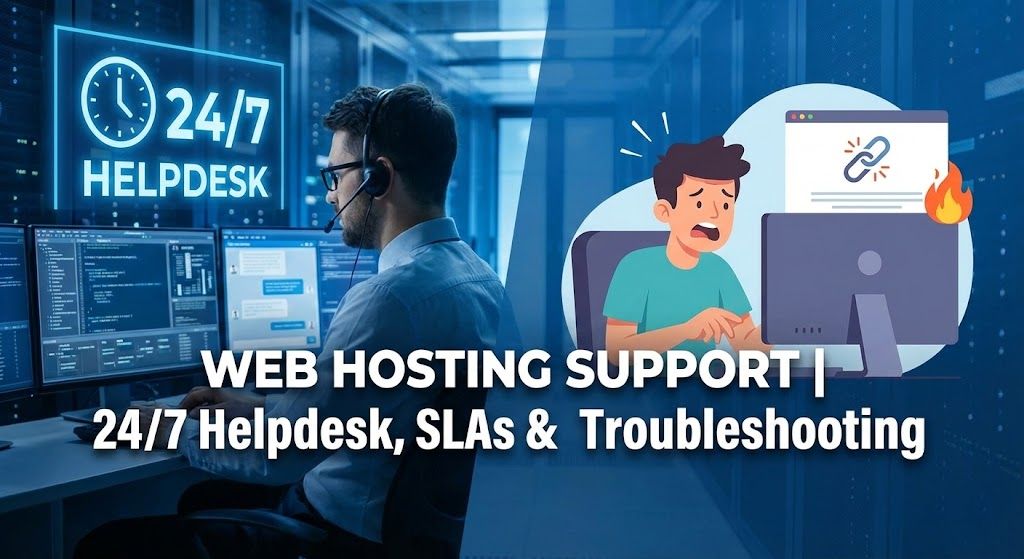
האם אי פעם שלחתם כרטיס תמיכה היסטרי ב-2 בלילה, רק כדי לראות את גלגל הטעינה מסתובב... ומסתובב? או אולי אתם בוהים באתר הלבן שלכם, תוהים אם התמיכה תציל את המצב (או שנגזר עליכם לראות מדריכים ביוטיוב עד הזריחה). אתם לא לבד. תמיכה באחסון אתרים היא כמו השותף השקט של כל אתר, אתם לא שמים לב אליה עד שהכל עולה באש.
בואו נרים את המסך: מה באמת חשוב כשבוחרים תמיכה של ספק אחסון? מה זה סתם נוצצים שיווקיים? בין אם אתם מנהלים מפלצת איקומרס ענקית, כותבים בלוג בכיף, או מריצים אתרי לקוחות בתקציב זעום, התמיכה היא המרכיב הסודי ששומר על העולם המקוון שלכם מסתובב. הנה איך זה עובד (ואיך לדעת אם זה שווה משהו).
עיקרי דברים
- תמיכה באחסון אתרים משמשת כרשת הביטחון של האתר שלכם, פותרת בעיות מהשבתות ועד איומי אבטחה ומשפיעה ישירות על זמינות וביצועים.
- תמיכה יעילה באחסון אתרים צריכה להציע מספר דרכי התקשרות, זמני תגובה מהירים, הסכמי SLA ברורים ומומחיות בסטאק הטכנולוגי של האתר שלכם.
- העריכו את התמיכה לפני ההתחייבות על ידי בדיקת ההיענות והידע הטכני שלהם עם שאלות אמיתיות.
- תמיכה באחסון מנוהל מטפלת בתחזוקה טכנית ואבטחה, בעוד שאחסון לא מנוהל שם יותר אחריות עליכם אך עשוי להיות משתלם יותר.
- און-בורדינג טוב, מיגרציות חלקות, נתיבי הסלמה ברורים וניטור פרואקטיבי הם סימני היכר לתמיכה איכותית.
- בחרו תמיכה המותאמת לצרכים שלכם — איקומרס וסוכנויות דורשים לרוב תמיכה מומחית 24/7, בעוד שתחביבנים עשויים לתעדף עלות.
מהי תמיכה באחסון אתרים ולמה היא חשובה
יתרונות עסקיים וטכניים: זמינות, אבטחה, ביצועים ועלות
חשבו על תמיכה באחסון אתרים כרשת הביטחון המקוונת שלכם. כשהאתר שלכם קורס במהלך מכירת בזק או שתעודת ה-SSL שלכם פוקעת בשקט בחצות, אלו האנשים ש(אמורים) לשמור עליכם. תמיכה טובה היא לא רק לתקן דברים אחרי שהם נשברים, היא להבטיח שהכל ירוץ חלק, מאובטח וחסכוני.
צוותי תמיכה שומרים על זמינות גבוהה (אף אחד לא רוצה את אימייל ה"אתר למטה"), עוזרים לכם לכוונן ביצועים, ושומרים מפני בעיות האבטחה הנפוצות מדי. וכן, התמיכה הנכונה יכולה אפילו לחסוך לכם כסף על ידי תפיסת בעיות קטנות לפני שהן הופכות לאסונות ששואבים את הארנק.
בעיות טיפוסיות שנפתרות על ידי תמיכה (DNS, אימייל, SSL, גיבויים, ביצועים)
כמה כאבי ראש מוכרים מדי שהתמיכה של הספק שלכם יכולה (בתקווה) לפתור:
- קריסות DNS: הדומיין שלכם מפסיק להפנות לאתר. משתמשים בוהים במסכי שגיאה: התמיכה יכולה לסדר את הרשומות שלכם במהירות.
- כאוס באימייל: הודעות יוצאות מסמנות אתכם כספאמרים, או אימיילים נעלמים לריק. תמיכה טובה מתירה את הפלונטר של SMTP, DKIM, SPF, ועוזרת לכם לחזור לרשימה הלבנה.
- דרמת SSL: חידושי SSL, קונפיגורציות שגויות, תעודות שפג תוקפן גורמות לכרום לצעוק אזהרות מפחידות, התמיכה מטפלת באלה כמו מקצוענים.
- גיבויים שהשתבשו: מחקתם תיקייה בטעות? לתמיכה יש את הכוח לשחזר את הגיבוי של אתמול. או של שבוע שעבר. או... טוב, הבנתם את התמונה.
- האטות ביצועים אקראיות: האם זה האחסון? תוסף וורדפרס סורר? בוטים רעים? התמיכה הופכת לבלש הדיגיטלי שלכם.
תמיכה באחסון אתרים: ערוצים, שעות ויסודות SLA
ערוצי תמיכה: טלפון, צ'אט חי, אימייל/טיקטים, שליטה מרחוק, מהנדסים בכוננות
פעם, תמיכה הייתה אומרת לשלוח הודעה ולהחזיק אצבעות. היום, זה בופה של אפשרויות:
- טלפון: עדיין סטנדרט הזהב אם השיער שלכם עולה באש ואתם צריכים בן אדם עכשיו.
- צ'אט חי: מהיר, אבל יכול להיות הימור (טיפ של מקצוענים: הדביקו לוגים ארוכים בחלקים קטנים, אני מסתכל עליכם, זורקי שגיאות של 5,000 שורות).
- אימייל/טיקטים: מעולה למעקב אחרי בעיות, אבל לא למקרי חירום מלאי אדרנלין.
- שליטה מרחוק (Remote Desktop): כשהבעיה כל כך מסובכת ששיתוף מסך קל יותר מהסבר (ברכו את הגיבורים האלה).
- מהנדסים בכוננות (On-call): לבעיות מורכבות, אולי תקבלו את התותחים הכבדים אחרי מיון ראשוני.
מודלי זמינות: 24/7, שעות עסקים, ו-Follow-the-sun
הנה המציאות: לא כל תמיכה נמצאת שם כשאתם שם. חלק מהספקים מתרברבים בתמיכה 24/7, אבל קראו את האותיות הקטנות, לפעמים זה רק מכירות ב-3 בלילה. אחרים עובדים בשעות עסקים רגילות, וחלק מהענקים הגלובליים משתמשים במודל "Follow-the-sun" כך שצוותים ביבשות שונות מעבירים משמרת, ושומרים על המומחיות זורמת ללא הפסקה.
מרכיבי SLA מוסברים: זמן תגובה, זמן פתרון, התחייבות זמינות וזיכויים
הסכמי רמת שירות (SLA) הם "הבטחות הזרת" של תעשיית האחסון. הם מפרטים:
- זמן תגובה: כמה מהר התמיכה תענה? (תגובה מהירה באימייל לא שווה לתיקון מיידי.)
- זמן פתרון: זמן בעולם האמיתי לפתרון בפועל.
- התחייבות זמינות (Uptime): "99.9%" זה קלאסי, אבל עשו קצת חשבון, 41 דקות השבתה בחודש זה שונה מ"אף פעם לא למטה".
- זיכויים: פספסו יעדים? חלק מהספקים נותנים זיכויים לחשבון (אבל בדרך כלל לא מזומן). ודאו שאתם יודעים מה אכיף, ומה סתם דיבור שיווקי.
סוגי שירותי תמיכה באחסון
שירות עצמי ומאגר ידע: דוקומנטציה, מאמרים, פורומים קהילתיים
לפעמים, אתם פשוט רוצים תשובות, בלי בני אדם. ספקים איכותיים מתחזקים מאמרי ידע מוצקים (חשבו על "איך לרענן DNS בכוח" או "שחזור גיבוי ב-3 בלילה") ופורומים קהילתיים שבהם משתמשים אמיתיים זורקים פנינים שהדוקומנטציה הרשמית מפספסת. חפשו עדכונים שוטפים וצילומי מסך מהחיים האמיתיים.
תמיכה מנוהלת מול לא מנוהלת, מה אתם מקבלים
מנוהל (Managed): התמיכה תטפל בהכל בצד השרת, עדכוני אבטחה, פאצ'ים, סריקות נוזקות, גיבויים, ואפילו כיוונון ביצועים. חלומי, אבל יקר יותר.
לא מנוהל (Unmanaged): אתם עושים את העבודה הקשה. התמיכה אולי תעזור רק אם החומרה נמסה או הרשת קורסת. המחיר משקף את זה, מושלם אם אתם אוהבים חלונות טרמינל.
זמן לאנקדוטה: הבלוג הישן שלי רץ על VPS לא מנוהל. כשזה קרס, למדתי יותר על לינוקס משרציתי אי פעם. ספוילר: מנוהל היה שווה כל אגורה ברגע שעברתי (וחזרתי לישון).
תמיכה במיקור חוץ ו-White-label לספקי אחסון
לא כל התמיכה נעשית בתוך הבית (In-house). הרבה ספקים עושים מיקור חוץ או White-label לצוותי התמיכה שלהם. הם מטפלים בטיקטים היומיומיים ומשתלבים כמותג. זה לא תמיד רע, חלק מהצדדים השלישיים מעולים, אבל בדקו ביקורות לעקביות (ומיומנויות אנגלית/עברית אם זה חשוב לקהל שלכם).
מודלי תמיכה מדורגים (Tier 1/2/3) וצוותי מומחים (DBA, DevOps, אבטחה)
תמיכה היא לא "מידה אחת לכולם":
- Tier 1: פתרון תקלות בסיסי ("ניסית לכבות ולהדליק?")
- Tier 2: מכיר את הסטאק שלכם ויכול לחפור עמוק יותר, פותר מוזרויות CMS, בעיות קונפיגורציה
- Tier 3 / מומחים: ידיים בתוך קרבי השרת, חוקי חומת אש, קריסות מסד נתונים, או מיגרציות גדולות. לפעמים, תשמעו מ-DBAs, אנשי DevOps, או מהנדסי אבטחה אמיתיים.
איך להעריך ולבדוק תמיכה באחסון לפני שקונים
צ'קליסט הערכה: זמני תגובה, מומחיות, סטאק טכנולוגי, הסמכות, שפה ומיקום
מתכננים להפקיד את החיים הדיגיטליים שלכם בידי ספק? אל תרפרפו רק על דף הבית. הנה מה לחפש:
- זמני תגובה: האם הם מתרברבים ב-5 דקות תגובה בצ'אט, או שאתם בהמתנה לנצח?
- מומחיות: האם נציגי התמיכה הם אנשי טכנולוגיה אמיתיים, או רק מעתיקים-מדביקים "האם ניקית מטמון?"
- ידע בסטאק: האם הם מבינים את ה-CMS, מסד הנתונים, פאנל הניהול שלכם, או שהם תקועים על cPanel מ-2019?
- הסמכות: חפשו תגי AWS, Microsoft או אבטחה בדף הצוות שלהם.
- שפה ומיקום: האם חצות שלכם זה 9 בבוקר שלהם, או שאתם תמיד הולכים לאיבוד בתרגום?
בדיקות צעד-אחר-צעד להרצה: בדיקת צ'אט חי, שליחת טיקט, הסלמה טלפונית
העמידו אותם במבחן לפני שאתם מתחייבים:
- צ'אט חי: פתחו עם שאלה אמיתית, חצי-טריקית ("ה-SSL שלי לא מתחדש, תוכלו להנחות אותי בפתרון התקלה?").
- טיקט: שלחו טיקט תמיכה ומדדו כמה זמן זה לוקח, שאלו על משהו קצת מוזר, כמו שחזור טבלת MySQL בודדת.
- טלפון: נסו את ההסלמה, ראו אם אתם יכולים לדבר עם מישהו עם גישת שרת אמיתית.
אני תמיד זורק כדור מסובב, פעם אחת שאלתי בצ'אט חי אם הם יכולים להסביר Redis מול Memcached לוורדפרס. תופתעו לגלות כמה מהר חלק מהתשובות יורדות מהפסים.
דגלים אדומים ומה לשאול נציגי מכירות/תמיכה
היזהרו מ:
- זמני המתנה ארוכים?
- תשובות שבלוניות?
- אין נתיב הסלמה ישיר?
- תמיכה רק דרך טיקט/אימייל (במיוחד בסופ"ש)?
שאלו:
- מי נותן תמיכה אחרי שעות העבודה, מהנדסים אמיתיים או צוות במיקור חוץ?
- אילו הסמכות יש לחברי הצוות?
- האם אפשר לדבר עם Tier 2 או מהנדס במהלך ההערכה?
און-בורדינג, מיגרציה והסלמה: איך נראית תמיכה טובה
צ'קליסט און-בורדינג לחשבונות חדשים (DNS, גיבויים, ניטור, הרשאות)
ספק טוב מקבל את פניכם. אתם צריכים לקבל אימייל און-בורדינג צעד-אחר-צעד שמכסה:
- איך להפנות DNS
- איפה לגשת לגיבויים אוטומטיים, ואיך לשחזר אותם
- הגדרת ניטור (בונוס: ניטור פרואקטיבי על ידי התמיכה)
- איך משתפים פרטי גישה (בלי סיסמאות בטקסט גלוי, בבקשה)
- הגדרות אבטחה
תמיכה במיגרציה: היקף, לוחות זמנים, תוכניות רולבק ועלות
מעבירים את האתר? תמיכה מעולה = היקף מיגרציה ברור (מה יועבר), לוחות זמנים צפויים, ותוכנית רולבק אם משהו נשבר. חלק מהספקים עושים את זה בחינם, אחרים גובים תשלום (לרוב סביב $100 לאתר לעבודות מורכבות). התקטננות על "שחזורים" היא דגל אדום. שאלו לפני שאתם עוברים, אחרת תשלמו על "תוספות" שמרגישות די בסיסיות.
נתיב הסלמה: איך בעיות עוברות מ-Tier 1 להנדסה ומה לצפות
כשדברים נשברים, אתם רוצים תשובות, ומהר. התמיכה הטובה ביותר מסלימה בעיות קשות למהנדסים באופן יזום (לא רק אם אתם מתחננים). אתם צריכים לקבל עדכונים, צפי ריאלי, וגישה להיסטוריית הטיקט. אם אתם אי פעם תקועים בלהסביר את הסיפור שלכם מחדש בכל פעם, זה... לא סימן טוב.
מדריכים נפוצים לפתרון תקלות (תיקונים מהירים שאפשר לנסות קודם)
צ'קליסט "אתר למטה": אבחון לפני פנייה לתמיכה
לפני שאתם שולחים הודעת פאניקה לתמיכה, נסו את אלה:
- האם ההשבתה היא רק אצלכם? נסו את downforeveryoneorjustme.com
- בדקו את האתר מרשת/טלפון אחר
- נקו את המטמון/עוגיות בדפדפן
- נטרלו CDN, אם בשימוש
- הפעילו מחדש את הראוטר (הקלאסיקה של ה-IT)
בעיות DNS ופרופגציה: צעדים, TTL ופתרון תקלות
הו, DNS. האם בדיוק שיניתם את ה-DNS של הדומיין או הוספתם סאב-דומיין? זכרו, ל-DNS לוקח זמן להתעדכן (מכמה דקות ועד 48 שעות).
- בדקו שוב רשומות חדשות
- השתמשו בכלים: whatsmydns.net, dig, nslookup
- הנמיכו TTL לפני ביצוע שינויים גדולים (לעדכונים מהירים יותר בפעם הבאה)
בעיות וורדפרס ו-CMS: מצב דיבאג, בידוד תוספים/ערכות עיצוב, גיבויים
כשהאתר וורדפרס שלכם מתפוצץ:
- הפעילו מצב דיבאג ב-wp-config.php (
define('WP_DEBUG', true);) - נטרלו את כל התוספים, הפעילו אותם מחדש אחד-אחד
- בדקו עם ערכת עיצוב ברירת מחדל (כמו Twenty Twenty-Four)
- שחזרו גיבוי אם המצב הופך מרע לגרוע
עבירות אימייל ופתרון תקלות SMTP
- בדקו עם אימייל טקסט-בלבד (הימנעו מטריגרים לספאם)
- בדקו רשומות MX ו-SPF (האתר mxtoolbox.com הוא חבר שלכם)
- נסו שירות SMTP אחר (כמו SendGrid או Gmail)
- בדקו לוגים של דואר (אם יש גישה), הודעות שגיאה חוזרות (Bounce) הן זהב טהור
SSL, אירועי אבטחה ותגובה לפריצה לחשבון
- תמיד חדשו SSL לפני תפוגה (תזכורות ביומן עוזרות)
- לנוזקות: בידוד מיידי (Quarantine), בקשו שחזור/סריקה
- שנו את כל הסיסמאות
- בקשו מהתמיכה לאשר שלא נשארו דלתות אחוריות או סקריפטים חשודים
תמחור תמיכה, רמות ודוגמאות SLA
מה רמות תמיכה כוללות בדרך כלל וטווחי מחירים אופייניים
- תמיכה בסיסית/כלולה: טיקט/אימייל, ימי חול בלבד. חינם או כלול בחבילה. צפו לתגובה ראשונית תוך 1–12 שעות.
- תמיכת פרימיום: 24/7, תגובה מובטחת <30 דקות, טלפון/צ'אט חי, פרואקטיבי. $20–$200 לחודש (חשבו על רמות של Kinsta, WP Engine).
- אנטרפרייז: מהנדס ייעודי, SLA מותאם אישית, סקירות תקופתיות. לרוב $500+ לחודש.
אלו לא חוקים נוקשים, תמיד בדקו בדיוק מה כלול. ספקים זולים מסוימים מתייגים משהו כ"פרימיום" שאחרים היו קוראים לו בסיסי.
שפת SLA לדוגמה וחישובי זיכויים (תבניות לשימוש)
דוגמה לסעיף SLA:
"הספק מתחייב ל-99.9% זמינות בכל חודש קלנדרי. עבור השבתה מעבר לסף זה, הלקוח זכאי לזיכוי השווה ל-5% מהתשלום החודשי עבור כל שעה נוספת של השבתה, על פי בקשה בכתב."
| אחוז זמינות | אחוז זיכוי לחודש |
|---|---|
| 99.9-100 | 0% |
| 99.0-99.89 | 5% |
| 98.0-98.99 | 10% |
| <98.0 | 25% |
אבטחה, ציות ובקרות גישה בתמיכת אחסון
ניהול הרשאות, גישה מועדפת ולוגים לביקורת
לעולם אל תשלחו סיסמאות בטקסט גלוי, בבקשה. חפשו ספקים עם כלים מאובטחים לשיתוף סיסמאות או טפסים לסיסמה חד-פעמית. כל כניסות האדמין צריכות להירשם, אידיאלית תהיה לכם גישה ללוגים לביקורת לראות מי נגע במה ומתי. לצוותים גדולים, שאלו על גישה מבוססת תפקידים ואימות רב-גורמי.
שיקולי ציות: GDPR, HIPAA, PCI והתחייבויות חוזיות
בהתאם לאתר שלכם (במיוחד אם אתם מטפלים במידע אישי או תשלומים), ייתכן שתצטרכו:
- GDPR: נתונים נשארים במיקומים באירופה, תהליכים למחיקת משתמשים/בקשות.
- HIPAA: למידע רפואי, הצפנה קשוחה, נתיבי ביקורת, הסכמים חתומים.
- PCI-DSS: איקומרס, הצפנה, עיבוד תשלומים מאובטח, סקירות שנתיות.
ודאו שהספק יחתום על הסכמי BAA עבור HIPAA, ויכול לענות על שאלות ציות מפורטות. בדקו לפני ההשקה, לתקן את זה רטרואקטיבית זה כאב ראש שתרצו להימנע ממנו.
כלים ואינטגרציות שמשפרים תוצאות תמיכה
כלי ניטור, התראות ו-APM לאבחון מהיר יותר
קיבלתם פעם סמס "האתר למטה" ב-4 לפנות בוקר? (הייתי שם.) הרבה ספקים מציעים עכשיו ניטור מובנה, כמו אינטגרציות UptimeRobot או New Relic. כלי APM (כמו Datadog, Instana) מאפשרים לתמיכה לאתר שאילתות איטיות, דליפות זיכרון, או התקפות חיצוניות כך שהתמיכה לא נשארת לנחש.
מערכות טיקטים, פלטפורמות ידע וכלי תמיכה מרחוק
הספקים הטובים ביותר מתייחסים לתמיכה כמו למדע, לא לאמנות. מערכות טיקטים (Zendesk, Freshdesk, HubSpot) מבטיחות שאף פעם לא תלכו לאיבוד בחור שחור. פלטפורמות ידע (Intercom, Help Scout) שומרות על תשובות עדכניות. כלים מרחוק (TeamViewer, AnyDesk) מביאים טכנאים "על" השרת שלכם מיידית במקום לנחש מאימיילים עמומים. הכל מצטבר לפחות זמן השבתה עבורכם.
תמיכה במיקור חוץ ו-White-label: יתרונות, חסרונות ובחירת ספק
מתי לעשות מיקור חוץ לתמיכה מול בניית צוות פנימי
לחברות אחסון: עשו מיקור חוץ אם אתם צריכים כיסוי סביב השעון בלי לשכור עובדי משמרת לילה, או אם הצד הטכני הוא לא הצד החזק שלכם. בנו בתוך הבית אם אתם חושקים בשליטה הדוקה יותר, קול מותגי, או יכולים להצדיק את העלות (חשבו על ספקי בוטיק/אנטרפרייז).
סעיפי SLA ואון-בורדינג מרכזיים לדרוש מספקים
אם אתם עושים מיקור חוץ:
- הגדירו SLAs מפורשים בחוזה (לא רק הבטחות עמומות)
- און-בורדינג חייב לכסות כלים, טון דיבור, נתיב הסלמה
- דרשו סעיפי אבטחת מידע וסודיות (NDA), הגנו על המידע של הלקוחות שלכם.
- נקודות בונוס ל-White-label שמשתלב חלק במותג שלכם (בלי חתימות "support@randomvendor.com")
מקרי בוחן ומדדי משתמשים אמיתיים
מקרי בוחן קצרים: מיגרציה מהירה, תגובה לאירועים וחיסכון בעלויות
מקרה 1: העברנו חנות WooCommerce של 20GB של לקוח במהלך שבוע בלאק פריידיי (כן, באמת). התמיכה של הספק הקצתה מהנדס, הנחתה אותנו בהכנות, והפעילה רולבק מלא כשתוסף התנהג לא יפה. זמינות: 100%. מכירות: לא איבדנו אגורה.
מקרה 2: אתר הנהלת חשבונות של חבר נפגע מכופרה. הספק המנוהל שלהם שחזר גיבוי אחרון, הריץ סריקת נוזקות חינם, וסתם את חור האבטחה, הכל לפני ארוחת הבוקר. הלקוח שמר על העבודה שלו (ועל השפיות).
חיסכון בעלויות: מעבר מאחסון תקציבי של $14/חודש לאחסון פרימיום של $29/חודש הוריד את זמן ההשבתה מ-3 שעות בחודש לאפס למעשה, שיחות התמיכה של הלקוח ירדו ב-90% (באמת).
נתוני בנצ'מארק: זמני תגובה/פתרון ממוצעים לפי סוג ספק
- ספקים תקציביים: תגובה 1–24 שעות, פתרון עד 3 ימים
- ספקי פרימיום: תגובה ב-5–15 דקות, פתרון עם תיקון אמיתי תוך שעתיים
- אנטרפרייז: נציג ייעודי, לרוב מיון מיידי (דקות), תיקון מלא תוך שעה
זכרו, החוויה שלכם יכולה (ותהיה) שונה. תמיד בדקו ממקור ראשון, בנצ'מארקים הם קו זינוק, לא קו סיום.
שאלות נפוצות על תמיכה באחסון אתרים
איך אני יוצר קשר עם התמיכה? איזה מידע עלי לספק?
רוב הספקים מציעים צ'אט, טיקט וטלפון (ראו למעלה). תמיד תנו את מזהה החשבון שלכם, תיאור ברור של הבעיה, צעדים לשחזור, וכל הודעת שגיאה. צרפו צילומי מסך או לוגים, סמכו עלי, זה עוזר.
האם ספקים מציעים מיגרציות חינם ומה כלול?
הרבה ספקים מנוהלים ופרימיום יעבירו את האתר(ים) שלכם בחינם, אבל ההיקף משתנה. חלק מכסים רק אתר אחד, אחרים גובים תוספת על העברת אימייל או מסד נתונים. בדקו פעמיים לפני שאתם עוברים ספינה.
איזה הבטחות זמינות ותמיכה עלי לצפות באחסון מנוהל מול שיתופי?
מנוהל: בדרך כלל 99.9–100% זמינות, תמיכה 24/7, SLAs אמיתיים
שיתופי: זמינות עשויה לרדת (99.5% נפוץ), תמיכה איטית יותר (טיקט/אימייל, אין טלפון). SLAs פחות מפורטים או חסרים לגמרי
איך לבחור את התמיכה באחסון הנכונה לצרכים שלכם
צ'קליסט לפי סוג משתמש: אתר תחביב, עסק קטן, איקומרס, סוכנות/ספק
- תחביב/בלוגר: תגובה תוך 8–24 שעות זה בסדר. תשובות בשירות עצמי. המחיר הוא המלך.
- עסק קטן: כוונו לצ'אט + טלפון, תגובה של 1–4 שעות, גיבויים יומיים, SLAs סבירים.
- איקומרס: תמיכה 24/7, תיקונים תוך פחות משעתיים, ניטור פרואקטיבי, מיגרציות כלולות.
- סוכנות/ספק: תמיכה מדורגת, נתיב הסלמה, White-label/מיקור חוץ לפי הצורך, SLAs בכתב.
מטריצת החלטה וטבלת השוואה מהירה (שירות עצמי מול מנוהל מול מיקור חוץ)
| פיצ'ר | שירות עצמי | מנוהל | מיקור חוץ |
|---|---|---|---|
| עלות | $–$$ | $$$ | $$–$$$$ |
| זמן לתיקון | עשה-זאת-בעצמך | הכי מהיר | משתנה |
| דרישת מומחיות | גבוהה | נמוכה | בינונית-גבוהה |
| התאמה אישית | גבוהה | בינונית | נמוכה-בינונית |
| כיסוי 24/7 | לא סביר | כן | אפשרי |
בחרו מה שמתאים לתקציב הטכנולוגי/נוחות שלכם. אל תקנו פיצ'רים מיותרים שלא תשתמשו בהם לעולם.
מתחילים: הצעדים הבאים ואפשרויות יצירת קשר
תמיכה באחסון אתרים היא קו החיים הדיגיטלי שלכם, אל תתפשרו על פחות ממה שמגיע לכם. בדקו, חטטו ודחפו לפני שאתם מתחייבים (צ'אטים להדגמה הם משחק הוגן). אם ספק מסתתר מאחורי טיקטים איטיים או תפריטי טלפון, רוצו, אל תלכו, לצד השני.
מוכנים למצוא את השידוך שלכם? התחילו צ'אט חי, הצטרפו לקבוצת משתמשים, או צרו קשר עם מכירות/תמיכה של הספק עם השאלות האמיתיות שלכם. יש שם ספק שמחכה לשמור עליכם, לכו תגרמו לו להוכיח את זה.
צריכים תמיכה שאף פעם לא ישנה?
ב-Devoster, אנחנו לא רק מאחסנים את האתר שלכם; אנחנו תומכים בו כאילו הוא שלנו. עם מהנדסים מומחים 24/7, הסכמי SLA שקופים ועזרה במיגרציה חינם, אנחנו השותף שחיפשתם. שוחחו עם הצוות שלנו עכשיו ותחוו את ההבדל.
מוכנים לחוות את Devoster?
הצטרפו לאלפי לקוחות מרוצים עם תמחור שקוף ואחסון מהיר במיוחד.