Cloud Hosting vs WordPress Hosting: 2026 Guide
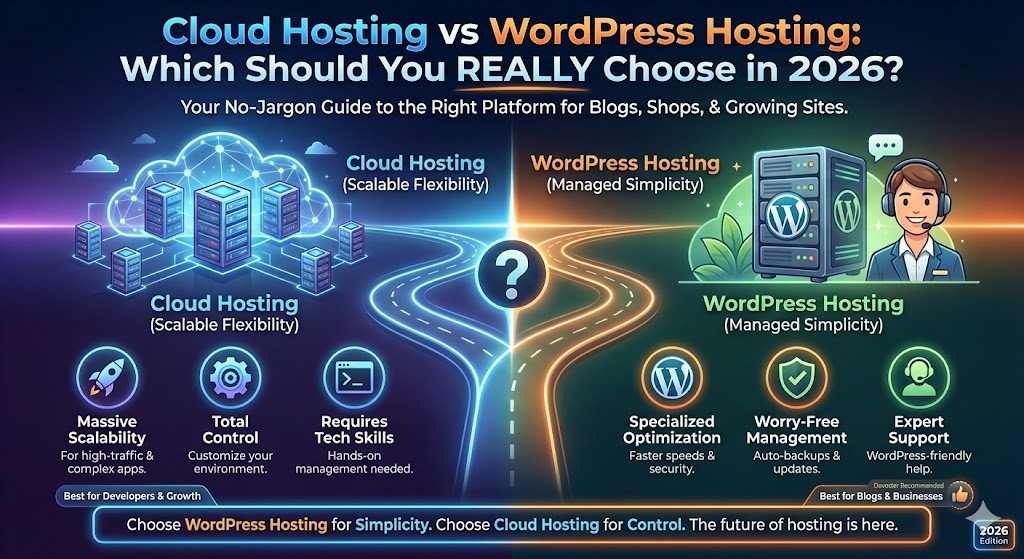
Cloud Hosting vs WordPress Hosting: Which Should You REALLY Choose in 2026?
So you're standing at the crossroads: cloud hosting or WordPress hosting? Whether your site is a newborn blog, a bustling shop, or a growing business, picking the wrong platform can mean chasing your own tail with slow speeds, downtime drama, or surprise bills. Don't worry, by the end of this guide, you'll not only know the difference, but you'll have a foolproof checklist and genuine recommendations (yes, I'll even spill my own favorite pick: Devoster for WordPress hosting). Grab your beverage of choice, and let's get real about cloud hosting vs. WordPress hosting, no jargon, just answers you can use.
Key Takeaways
- Managed WordPress hosting is ideal for most blogs and business sites, offering ease of use, expert support, and worry-free site management.
- Cloud hosting is best suited for complex, high-traffic, or multi-app projects where scalability and customization matter most.
- WordPress hosting plans are tailored specifically for WordPress, with features like auto-backups, WP-friendly support, and optimized security.
- Cloud hosting provides unmatched flexibility and scalability but requires technical skills and can bring unpredictable costs.
- Choose WordPress hosting for simplicity and specialized support, but pick cloud hosting if you need control, custom stacks, or expect massive growth.

Start fast with Shared Web Hosting
The simplest, most affordable way to get online. Includes SSL, CDN, and solid performance.
Browse plansQuick answer: Cloud hosting vs Wordpress hosting: Which one should you pick?
Let's cut to the chase, if you've just launched a small WordPress blog or a simple company site, you'll usually get more mileage (for less hassle and money) from a managed WordPress hosting plan. Why? It's tailored for WordPress, handles technical bits automatically, and you get perks like easy backups and real humans who speak WordPress fluently. My go-to pick here? Devoster.
But...
- Need to run non-WordPress apps?
- Expect traffic spikes or need hardcore customizations?
- Building a SaaS, marketplace, or high-powered, mission-critical site?
Cloud hosting wins, hands down. It's flexible, scalable, and plays nice with custom stacks. The learning curve is steeper, and you'll absolutely want tech chops (or a developer handy), but you'll never outgrow it.
In short:
- For most WordPress users: Pick a managed WP host like Devoster (especially for peace of mind)
- For ambitious projects, multi-app environments, or dev-heavy teams: Go cloud
Cloud hosting vs Wordpress hosting: At-a-glance comparison table
Side-by-side metrics: performance, scalability, cost, security, support, customization
| Feature | Managed WP Hosting (Devoster, Kinsta, WP Engine) | Cloud Hosting (AWS, DigitalOcean, GCP) |
|---|---|---|
| Performance | Pre-tuned for WP, fast caching, CDN easy | Can be lightning-fast, but you tune it |
| Scalability | Good for normal traffic, some auto-scaling | Infinite scale, pay-as-you-grow |
| Cost | Fixed plans, simple pricing | Pay-per-use: can spike unexpectedly |
| Security | WP-optimized firewall, active patching | You handle most controls, power-flex |
| Support | WP-trained, chat/email, even phone options | Generalist: managed support = $$$ |
| Customization | WP-focused, some flexibility | Anything you want, if you can build it |
Real Talk: If you want worry-free WordPress, let managed WP hosting spoil you. If you love building, tweaking, and want no limits, cloud is your playground.
What is cloud hosting?
How cloud hosting works (nodes, clusters, virtualization, orchestration)
Try picturing a team of servers (nodes) working together, sharing the load to keep your site speedy even if one server coughs. This is the magic of virtualization, your site doesn't hinge on a single metal box but floats across several, orchestrated for optimal power and uptime. If a storm hits one machine? The others quietly step in. Often, this whole dance is managed with tools like Kubernetes or proprietary orchestrators.
Types of cloud hosting: public, private, hybrid, cloud VPS, serverless
- Public cloud: Think AWS, Google Cloud, DigitalOcean, you share huge pools of resources with others.
- Private cloud: Dedicated cloud built for you (pricey, but unbeatable control: example: big banks, government apps).
- Hybrid cloud: Combo of cloud + on-premise/controllers: not common for small biz.
- Cloud VPS: Your own slice of a big cloud (DigitalOcean Droplets, Linode, etc.).
- Serverless/web platforms: Deploy code only (no caring about servers at all). Perfect for bursts of traffic but rarely used for traditional WordPress.
Advantages and disadvantages of cloud hosting (real-world examples)
Pros:
- Infinite scalability: E.g., Netflix runs on AWS. Blast out 100x typical traffic? Cloud shrugs.
- Custom architectures: Mix databases, queues, Python apps, whatever you want.
- Resilience: Hardware dies, failover is automatic, zero drama.
Cons:
- Sticker shock: Start at $12/mo, end up at $400+ after traffic spikes or add-ons, ask me about the month my backup scripts ran wild on Linode.
- DIY burden: Most clouds expect you to patch, secure, and monitor.
- Steep learning curve: Not for the faint of heart or the tech-averse. Expect to grok SSH, firewalls, and the like.
What is WordPress hosting?
Types of WordPress hosting: shared WP, managed WordPress, cloud WordPress hosting
- Shared WP hosting: Cheapest, but you share with dozens/hundreds, think Bluehost, HostGator. Okay for hobby blogs: not recommended for serious sites.
- Managed WordPress hosting: The VIP treatment (think Devoster, Kinsta, WP Engine). All tech and optimization is handled, from speed to nightly backups.
- Cloud WordPress hosting: Combines cloud's power with WP expertise. Usually managed for you (Kinsta is Google Cloud under the hood, for example).
WordPress-specific features: one-click install, WP-CLI, staging, auto-updates, optimized caching
- 1-click install: Publishing in under a minute, literally.
- Staging environments: Test changes in a clone (broke your site? Roll back easily.).
- WP-CLI: Command-line ninja tools, handy for bulk management.
- Auto-updates: Security patches and WP core done for you.
- Caching/CDN: Out-of-the-box speed boosts, no nerding out with Redis required.
Advantages and disadvantages of WordPress hosting (use cases)
Pros:
- Zero technical headaches: Your host is your sysadmin.
- Ultra-fast support: Staffers know WordPress quirks (ever have a theme go haywire during a launch? Big hosts will help in real time.).
- Performance and security tuned for WP: Filters out bot attacks, applies firewall rules, scans for WP malware.
Cons:
- WP only: These hosts only want WordPress sites. Want to run Flask, Node.js, or host random files? Look elsewhere.
- Customization limited: Some plugins/features may be restricted for security or speed.
- Price: Managed plans can cost more than cheap shared or DIY cloud (but save time and headaches).
Feature-by-feature comparison: cloud hosting vs WordPress hosting
Performance & speed: CPU, memory, I/O, caching, CDN, benchmarking recommendations
Cloud hosting: You handpick your CPU, RAM, SSD, run wild. (But, the wrong config = sluggish site. Been there.)
WP hosting: Pre-optimized. Best managed hosts (Devoster, Kinsta) serve pages at lightning speed thanks to server-level caching and global CDN.
Benchmark tip: Use tools like GTmetrix, WebPageTest, Loader.io. Test real traffic, not just synthetic.
Scalability & traffic handling: autoscaling, load balancers, burst traffic examples
Cloud: Autoscaling rules, spin up more servers as needed. Survived a Shark Tank spike? That's cloud magic.
WP hosts: Some, like Devoster, handle moderate spikes: huge surges may need plan upgrades or cloud partnership.
Security & compliance: WAF, isolation, patching, PCI/GDPR considerations
Cloud: You build your security stack: firewalls, malware scans, patching done by you.
WordPress hosts: WAF built in (block bad bots), managed patching, daily scans, one less thing to lose sleep over.
Management & support: managed vs unmanaged, control panels, support SLAs
Cloud: Full freedom OR full stress. Need cPanel? Add it. Support = extra cost (AWS Premium starts $$$$).
WP hosts: Managed = zero sysadmin chores. Proactive support usually answers in minutes.
Customization & developer tools: SSH, Composer, Git, Docker, PHP tuning
Cloud: Dream up your stack: Node, Redis, Docker, go nuts. SSH and Git always on tap.
WP hosts: Many offer SSH, Git, WP-CLI, Composer. True, a few restrict Docker or root access for security.
Backups, staging, and recovery: frequency, retention, point-in-time restore
Cloud: DIY, set up snapshots or scripts (forget and you'll regret it.). Vendor tools vary wildly.
WP hosts: Nightly snapshots, one-click restores, built-in staging. Accidentally trashed a live site? It's only embarrassing for two minutes.
Pricing & cost predictability: fixed plans vs pay-for-usage, hidden fees
Cloud: Billed by hour/GB/outbound: can get complex (I once paid more for bandwidth than for VM compute.).
WP hosts: Clear plans, Devoster's $15/mo covers most needs, add-ons are obvious.
Uptime, SLAs & monitoring: SLOs, alerting, uptime guarantees
Cloud: You're the watchdog. Premium support includes SLAs (e.g., 99.99% + credit if down).
WP hosts: Proactive monitoring and typical 99.9% uptime guarantees, but check service credits.
Plugin & theme compatibility, multisite and complex WordPress setups
Cloud: Do anything (with skill). Multisite? Custom wp-config? Easy. But…you manage updates, security risks.
WP hosts: Usually multisite-friendly (e.g., Devoster or Kinsta), but some restrict plugins (usually for security/speed).
Real-world scenarios: which hosting to choose by site type
Small personal blog or brochure site, budget and simplicity
You want cheap, easy, and you don't want to Google "how to restart Apache." Go with managed WP hosting (Devoster starts at $15/mo, with actual live chat humans). Shared WP hosting is even cheaper, but expect slower speeds and crowded servers.
Growing business / agency sites, staging, backups, and support needs
That moment when you mess with your pricing table… and realize your entire product page has gone missing? Pick a WP host offering one-click staging, frequent auto-backups, and 24/7 support (Devoster or Kinsta). Don't cheap out, downtime and botched updates cost more than a good plan.
WooCommerce or e-commerce: performance, PCI compliance, high concurrency
Cart speed and uptime matter a lot. If you run a store, go managed WP for small/medium: cloud for high-traffic, custom checkouts, or advanced PCI rules. Bonus: Good WP hosts block sketchy plugins so you're more likely to pass PCI scans.
High-traffic media or SaaS sites, autoscaling and global delivery
Expect viral traffic? Or need to serve giant static files and media? Cloud hosting with autoscaling and global CDN (AWS, GCP) is a lifesaver. You can also layer managed WP hosting on the cloud (Kinsta, Devoster).
Agencies / multisite networks, manageability and developer workflows
Running dozens of client sites? Agencies usually love WP hosts that allow unlimited installs, automated staging, team access, and easy billing. For mega-complexity or outlier client demands, use cloud hosting with a good devops strategy.
Provider recommendations: best picks by category (shortlist + why)
Best managed WordPress hosting (speed, support, ease)
Devoster wins here for a killer mix of speed, support, and developer-friendly features. Kinsta and WP Engine come close, they're all blazing fast with staging and auto-healing.
Best cloud-hosting providers for WordPress (flexibility, performance)
- DigitalOcean: Simple set up, good docs, great for DIY devs.
- AWS Lightsail: Managed-ish, low-cost cloud VMs with WordPress blueprints.
- Google Cloud Platform: Great for global scale: more techy, but powerful.
Best budget WordPress hosts (small sites, low cost)
- SiteGround: Fast, cheap, friendly support, but beware annual renewal jumps.
- DreamHost: Long track record for reliable WP hosting.
- Bluehost: Entry-level, decent for beginners but skip for pro sites.
Best enterprise/cloud platforms (AWS, GCP, Azure) and managed partners
- AWS (Amazon Web Services): Scales to the moon, but prepare for complexity.
- Google Cloud: Wildly reliable, but DIY, managed support costs extra.
- Kinsta: A managed WP host on Google Cloud.
- WP Engine: Popular among big brands: pro support teams.
Comparison grid: recommended hosts for blogs, stores, agencies, enterprises
| Type | Budget Pick | Midrange/Managed | Enterprise/Cloud |
|---|---|---|---|
| Blog/Personal | DreamHost | Devoster | N/A |
| Business | SiteGround | Kinsta | AWS, Azure w/ WP partner |
| Store/Ecomm | Bluehost | Devoster, WP Engine | Google Cloud + Kinsta |
| Agency/MS | SiteGround | Devoster, Kinsta | AWS, GCP + custom devops |
| SaaS/Media | N/A | Kinsta | Google Cloud, AWS |
Pricing examples & sample configurations
Typical monthly cost: small blog, growing business, high-traffic e-commerce
Personal blog/Small site: $3–$15/mo (SiteGround, Devoster basic)
Small business/agency site: $15–$35/mo (Kinsta, Devoster, higher SiteGround plan)
High-traffic e-commerce: $50–$200/mo (Devoster or Kinsta with WooCommerce optimization)
Cloud VPS (DIY, like DigitalOcean/Linode): $12–$80+ depending on scale/add-ons
Hidden cost checklist: bandwidth, backups, extra domains, premium plugins
- Bandwidth overage (can double your bill on traffic spikes)
- Premium WP plugins/themes (Gravity Forms, premium page builders)
- ‘Add-on' backups or staging (some budget hosts charge extra)
- Domain renewals, SSL certs (some bundles, some don't)
Quick story: I once set up a WooCommerce store, only to find my backup plugin doubled my server cost thanks to heavy media. Always audit storage before picking a host.
Migration guide: move your WordPress site to cloud hosting or a WP host
Pre-migration checklist: backups, plugins audit, DNS plan, downtime expectations
Before touching a thing, make a fresh backup (UpdraftPlus or your host panel). Audit theme/plugin versions, jot down what you really use, and clarify your DNS, switching means potential downtime (rare on good hosts, but still.).
Step-by-step migration: staging, testing, DNS cutover, rollback plan
- Spin up your new host, use their migrator tool or plugin (Devoster's built-in tool is ace).
- Import your backup, fix links and paths (search-replace for your domain).
- Test EVERYTHING in staging: forms, logins, checkout, even weird plugin corners.
- Schedule DNS cutover for low-traffic hours. Keep old host alive for 48 hrs just in case.
- Have a rollback plan (recent backup and point DNS back if disaster strikes).
Post-migration checklist: speed tests, security scan, SSL, monitoring
- Run GTmetrix/WebPageTest for speed grades
- Scan for malware (Wordfence or your host's scanner)
- Set up/inherit SSL cert (should be free with modern hosts)
- Double-check uptime monitoring and update your Google Search Console properties
Performance testing plan & reproducible benchmarks
Which tests to run: RUM, synthetic, load testing, TTFB, WP-specific benchmarks
- RUM (Real User Monitoring): New Relic, Google Analytics Site Speed, see what your real visitors experience
- Synthetic tests: GTmetrix, Pingdom, WebPageTest, simulate page load globally
- Load testing: Loader.io, k6, Blitz, test what happens with real/virtual visitors
- TTFB (Time to First Byte): Key metric for hosting tiers
- WP-specific tests: Query Monitor plugin, WP CLI profile
Interpreting results and tuning recommendations (PHP-FPM, cache, DB)
- Low TTFB & consistent load = good host/setup
- Spikes/slow queries? Check DB (use in-host DB tools), upgrade DB engine if needed
- Tune caching plugins/settings, or lean on WP host's built-in cache
- For cloud: Confirm PHP-FPM workers sized for traffic bursts: for WP hosts, these are usually auto-tuned
Security hardening checklist for WordPress on cloud vs WP hosts
Host-level protections and recommended plugin/config settings
On cloud: Harden SSH (no root login, keys only), set up UFW/firewall, force HTTPS, auto-patch OS.
On WP host: Check for WAF/firewall enabled. Don't use abandoned plugins. Add security plugins (Wordfence, iThemes, Sucuri).
Settings:
Strong passwords, 2FA for admin, regular plugin/theme/core updates
Incident response: backups, restores, forensic steps
- Schedule automated and off-site backups (daily at minimum)
- Know your restore process, run one at least once so it's not a surprise
- After a security event: Restore clean copy, scan for rootkits, rotate API/passwords, audit user accounts
- Notify host or cloud support ASAP: often managed WP hosts have a response team
Decision matrix & checklist: how to choose between cloud hosting and WordPress hosting
Simple flowchart: budget, traffic, technical skills, compliance needs
Need only WordPress? → Don't need complex apps? → Want low stress? → Pick managed WP hosting
Need multiple apps (Node.js, Python etc.)? → Don't mind learning server configs? → Expect wild traffic swings? → Cloud hosting for you
One-page checklist for CTOs, site owners and agencies
For WordPress Hosting:
- Want someone else patching, monitoring, and securing WP?
- Happy with restrictions for peace-of-mind and support?
For Cloud Hosting:
- Need hybrid/multi-app/dev tools?
- Prepared to handle sysadmin and extra security/setup?
If you answered YES more in either column, there's your winner. When in doubt, start with managed WP (like Devoster) and move to cloud as/when you outgrow it. It's not a one-way street.
Common myths & pitfalls when choosing hosting
Myth: cloud always faster, when that's false
People think clouds are, by definition, blazing fast. Truth: The wrong instance type or poor configuration (hello, bargain $5/month VPS with 2GB RAM.) can choke your site. I've seen shared WP hosting outperform cheap clouds, especially for well-tuned PHP workloads.
Myth: managed WP means no technical work
No host is magic. You still have to update content/plugins, monitor performance, and check site health yourself. Managed hosts lighten the load but don't make your site invincible.

Have questions? Get in touch
Not sure which plan fits or how crypto billing works for you? We're here to help.
Contact usFrequently asked questions (FAQs)
Do I need WordPress-specific hosting to run WordPress?
No, but it sure helps. WordPress runs on any PHP/MySQL stack (cloud included): managed WP hosting just removes grunt work.
Can I run WordPress on a cloud VM and still get WP features?
Absolutely, if you set up things manually: NGINX/Apache, PHP, database, backups, updates, etc. Consider using a WP-specific stack (like RunCloud or GridPane) on your cloud host to make life easier.
When should I upgrade from shared/managed WP to cloud?
When you outgrow traffic limits, need custom backends, or want to run non-WP code/services.
How hard is migration between cloud and managed WP hosts?
Not terribly hard, but plan for a couple of hours and always test on a staging copy before pulling the trigger.
What uptime and SLA should I expect?
Managed WP: 99.9% is standard, often higher. Cloud: 99.99% if configured right, otherwise, you're on the hook.
Conclusion & recommended next steps based on your site type
Caught yourself weighing cloud hosting vs WordPress hosting on a Sunday night (with three tabs open and forehead furrowed)? You're not alone. Here's the human-to-human rundown:
For most solo creators, freelancers, or agencies running primarily WordPress: Devoster is my top WordPress hosting pick, zero fuss, fast, and your future self will thank you.
For high-traffic, complex, or multi-app projects: Cloud hosting unlocks power and freedom but demands time, technical know-how, and more babysitting.
Action plan:
- List your site's true needs (plugins? apps? team size?)
- Match with the recommendations/grid above
- If still unsure, start with managed WP (you can always migrate up to cloud, no shame, no drama)
Got a migration horror story or discovery? Let me know below.
Whichever path you pick, remember: Your website deserves a home that fits, it pays back in sanity, security, and trust from your visitors. Ready to level up?
Ready to Experience Devoster?
Join thousands of satisfied customers with transparent pricing and lightning-fast hosting.