Education Web Hosting: Beginner’s Guide (2026)
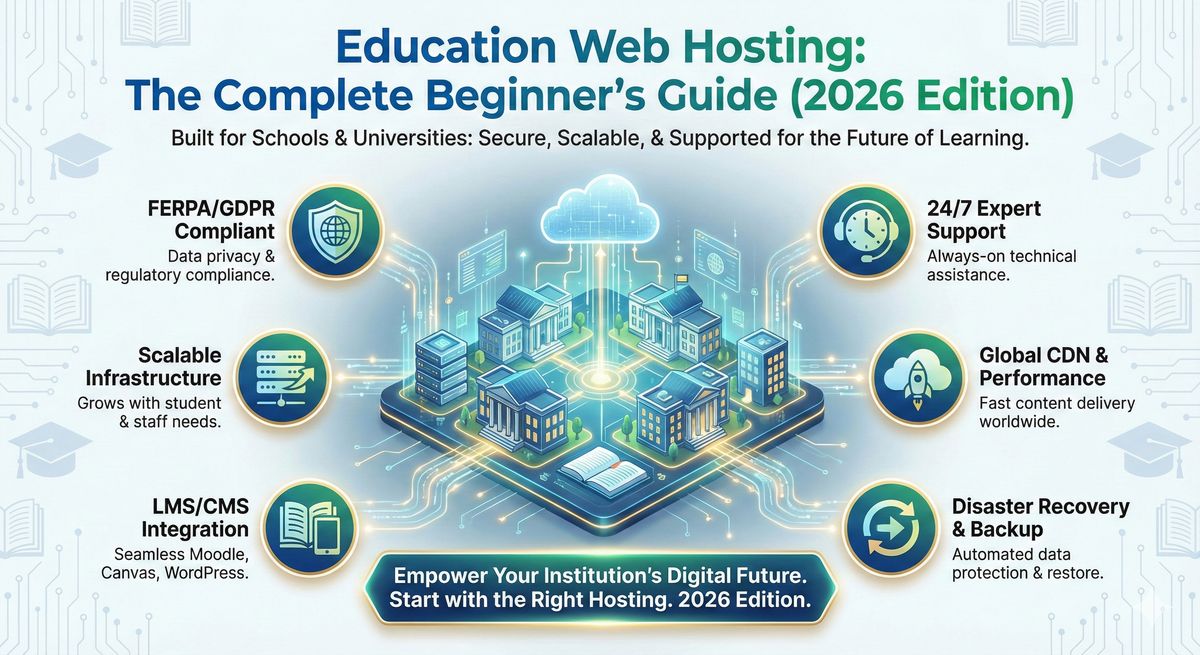
Education Web Hosting: The Complete Beginner’s Guide (2025 Edition)
So you've been voluntold to figure out your school's web hosting, and the only thing scarier than the cafeteria mystery meat is the phrase "FERPA compliance." Sound familiar? (Don't worry, we've all been there.) Whether you're leading a district tech team, dabbling in LMS plugins, or just trying to make sure your class site doesn't crash during finals, education web hosting is an entire universe. And, trust me, it's not quite like picking out regular web hosting from a dropdown menu.
This guide is your smart, down-to-earth roadmap, peppered with examples, gotchas, and the occasional confession from a fellow tech wrangler. We'll talk about why education hosting is its own beast, what features actually matter, and yes, I'll dish on my pick for the best: Devoster. Ready to turn school tech headaches into proud nerd victories? Let's dig in.
Key Takeaways
- Education web hosting is uniquely designed to ensure compliance with critical regulations like FERPA, COPPA, and GDPR while protecting sensitive student data.
- Schools benefit from education web hosting through specialized features such as LMS integration, single sign-on, high uptime, and tailored support for educators.
- Choosing the right education web hosting provider directly impacts school performance, ensuring scalability, fast load times, and minimal downtime even during peak events.
- Effective migration and management of education web hosting require proactive planning, clear requirements, and a provider offering robust security, backups, and disaster recovery.
- To maximize value, schools should seek providers offering educational discounts, free student hosting programs, and transparent total cost of ownership.

Start fast with Shared Web Hosting
The simplest, most affordable way to get online. Includes SSL, CDN, and solid performance.
Browse plansWhat is Education Web Hosting?
Definition and how it differs from generic web hosting
Imagine web hosting as renting an apartment: generic hosting gives you the basics, a place for your stuff (a website), a door (login), and maybe if you're lucky, a doorman. Education web hosting, though, is an entire dorm complex designed for learning, with secure wings for teachers and students, IT-friendly keys, and a RA (or three) on call 24/7. In other words:
- Tailored for schools: Handles sensitive student data, integrates with learning platforms, and complies with strict rules (FERPA, COPPA, GDPR).
- Custom access: Roles for teachers, students, and IT. No more "everyone's an admin, oops."
- Education-first tools: Built for LMS/CMS use (think Moodle or WordPress), student projects, and e-portfolios.
I once tried running a Moodle server on a bargain basement host. Let's just say it was more dramatic than a freshman talent show, and ended with a lot of all-caps emails from staff. Lesson learned: education hosting is essential, not optional.
Who needs education web hosting: K–12, districts, colleges, universities, research centers, student sites
Everyone from tiny charter schools to sprawling state universities:
- K–12 and districts: Need centralized sites, teacher pages, student blogs, maybe an LMS.
- Colleges & universities: Research sites, department portals, student orgs, and LMS for thousands.
- Research centers: Data-heavy workloads, collaboration tools, access controls.
- Student sites & clubs: Safe, easy sub-sites under a main domain.
Let's be real, if you have a .edu or .k12 domain and more than 10 curious fifth graders, education-specific web hosting isn't a "nice-to-have." It's as critical as the campus wifi working during finals week.
Key benefits of education web hosting
Security & compliance (FERPA, COPPA, GDPR)
School sites hold goldmines of private info. The right hosting shields you with:
- Built-in legal compliance (think FERPA for student records, COPPA for kids online, GDPR for global data rules)
- Automatic patching and updates (so you're not playing IT whack-a-mole)
- Encrypted logins & data at rest
High availability, performance and handling peak traffic
Anyone who's tried to launch class schedules at 9:01 AM on the first day of school knows the pain of lag and crashes. Education hosting gives you:
- 99.99% uptime (a fancy way of saying it won't die mid-semester)
- Scaling for sudden surges (enrollment, live stream events, you name it)
- Optimized speeds for LMS, media, and docs
Managed services, 24/7 support and IT collaboration
Middle of the night, servers go poof, and you don't want to be the only one panicking? Top hosts (like Devoster) have real humans, tuned to school needs, on speed dial. Plus:
- Proactive monitoring
- School-savvy support teams
- Collaboration tools for admins and educators
LMS/CMS integration and easier site management for educators
No teacher ever said, "I want to upload my syllabus manually 12 times." Good education hosting offers:
- Smooth integration with Moodle, Canvas, WordPress, & more
- Single sign-on (one password to rule them all)
- Ready-made templates and wizards
Bottom line: you spend less time fighting servers and more time supporting real teaching and learning.
Education web hosting features & requirements
Security features: encryption, WAF, DDoS protection, monitoring
You want Fort Knox, not a sandcastle. Essentials for any school host:
- HTTPS everywhere (SSL certificates)
- Web Application Firewall (WAF): Stops hacking junk at the gate
- DDoS Protection: Handles those "traffic tsunami" moments
- Real-time threat monitoring: Gives you a heads-up before trouble hits
Compliance & data protection: DPA, data residency, audit logs
- Data Processing Agreements (DPA): Legal stuff, get it in writing.
- Geo-specific data storage: Pick where your data lives (a big deal for EU/GDPR)
- Comprehensive audit logs: Know who touched what & when
Performance: CDN, caching, SSD storage, database optimization
- CDN (Content Delivery Network): Fast for everyone, everywhere
- Server-side & object caching (goodbye, laggy loads)
- SSD storage: Like upgrading from a bicycle to a sports car
- Database optimization: LMS sites fly, not crawl
Integration capabilities: LMS (Moodle, Canvas, Blackboard), CMS (WordPress, Drupal)
- One-click installs & official connectors for popular platforms
- Version support: Don't get stuck with "ancient" plugins
Authentication & SSO: SAML, OAuth, Google Workspace, Microsoft Entra ID
- Single Sign-On (SSO): Teachers, staff, students, one login to rule them all
- Support federated logins (Google, Microsoft, SAML, OAuth)
Backup, snapshot, and disaster recovery policies
- Automatic, scheduled backups with quick restores
- Snapshot and point-in-time recovery (if someone deletes half the site… it happens.)
- Disaster recovery plans: Real ones, not "hope and prayer"
User & site management: multisite, quotas, templates, student site managers
- Supports multi-site deployments: one dashboard, dozens of schools
- Custom templates and quotas
- Student-friendly site tools
Accessibility & content standards: WCAG, mobile-first, SEO best practices
- WCAG 2.1 or higher compliance
- Mobile-first design: Looks great on any device
- SEO baked in: So your course pages are actually found
Types of hosting for educational institutions
Shared hosting: pros, cons and ideal use cases
Pros:
- Trés affordable
- Easy for small schools or clubs
Cons:
- Limited performance/control
- Risky if your neighbor gets hacked or hogs resources
Best for: Small schools, clubs, or teacher sites starting out. Honestly, avoid for anything mission-critical.
VPS and cloud instances: flexibility and control
- You get your own slice: More power, less risk from noisy neighbors
- Tweak settings: Tune performance, pick OS, even schedule backups
Dedicated servers and private cloud for high-demand apps
- All-out power: You rent the entire machine (or RAID array.)
- Perfect for large LMS, research projects, or compliance-heavy districts
Managed hosting vs platform-as-a-service (hosted LMS/CMS)
- Provider maintains the tech, you focus on content
- Great for schools with small IT teams
Platform-as-a-Service:
- Hosting and platform rolled in (think Devoster LMS as a service)
- Super easy LMS rollouts, no server wrangling
Hybrid & multi-cloud architectures for redundancy and compliance
You want redundancy and legal coverage? Many schools mix on-prem, private, and public cloud for:
- Failover: Stay online during vendor outages
- Compliance: Data split by region/role
Cue the "multi-cloud dashboard with a zillion icons" meme, but it works for the big guys.
Sizing & architecture recommendations by institution type
Small schools & single-site districts: low-cost, easy admin
If your school still prints out lunch menus, you probably want shared hosting or managed cloud. Focus on:
- Simple admin
- Automated backups
- Cost transparency
Large districts & multi-school deployments: multi-tenant design
One login, dozens of schools? You'll want a multi-tenant setup:
- Role-based controls for IT
- Flexible resource allocation
- Domain-based site separation
Colleges & universities: research computing, multiple domains, high concurrency
When you've got petabytes of research and thousands of students logging in before the big exam,
- - Isolated research domains
- High concurrency (think 10,000+ users)
- Powerful API & integration support
LMS-heavy environments and MOOCs: scaling strategies and example architectures
For massive courses or MOOC-style teaching:
- Autoscaling servers
- Edge cache & distributed CDN
- Containerization for bursty loads (Docker, Kubernetes)
Real talk: Saw a state university's LMS handle 8x normal traffic during remote finals, didn't flinch, thanks to smart hosting and lots of advance load testing.
Security, privacy & compliance best practices
FERPA, COPPA and GDPR: what IT teams must verify in a provider
- Provider signs FERPA/COPPA/GDPR agreements in writing
- Understand where your data is stored, and who can touch it
- Clear, up-to-date privacy policies
Encryption (at-rest and in-transit), key management, and BYOK options
- All connections HTTPS (SSL/TLS)
- Data on disk is encrypted
- Ask about Bring Your Own Key (BYOK) for extra control
Access controls, role-based permissions and audit trails
- Granular permissions (no more "everyone gets admin")
- Automatic logging and audit trails
- Automated alerts for suspicious activity
Incident response, breach notification and pen testing
- 24/7 incident response
- Breach notification policies (transparency is key)
- Third-party penetration testing, proof, not just promises
Performance & scaling: handling peak events (enrollment, live streaming, launches)
CDN, caching, edge compute and regional failover
- CDN for everyone: Faster content, worldwide
- Edge compute: Heavy lifting closer to your users
- Failover: If one server goes down, another picks up the slack
Load testing, capacity planning and real-world benchmarks
- Simulate that "everyone logs in on day one" event
- Use real-world metrics ("last finals week we peaked at 3,200 concurrent users")
Autoscaling, containerization and serverless patterns for burst traffic
- Autoscale to meet traffic spikes (and avoid crash-induced panic)
- Serverless: scale up and back down to save $$$
- Containers (Kubernetes, Docker): consistency for apps
Anecdote: I once saw a provider (Devoster) save a site during virtual graduation by quietly adding extra containers midstream, not a blip for users.
Migration & implementation checklist
Pre-migration audit: inventory, dependencies, CMS/LMS plugins
- List every app, plugin, and dependency (no matter how obscure)
- Check version compatibility with your new host
Data migration steps: databases, media, user accounts
- Export databases cleanly (double-check character sets, trust me)
- Copy over media files, verify permissions
- Migrate user accounts and reset passwords where needed
DNS cutover, rollback plan and validation tests
- Schedule cutover during off-peak hours
- Keep a detailed rollback plan (the IT version of a life raft)
- Run validation tests: Is every link working?
Testing: accessibility, load, security scan and stakeholder sign-off
- Manual and automated accessibility testing
- Load test with real (or at least, realistic) scenarios
- Security scan before go-live
- Stakeholder sign-off (that "yes, we checked this." email saves grief)
Costs, discounts & procurement tips
Typical pricing components: compute, bandwidth, storage, managed services
Watch for these line items:
- Compute: CPU, RAM, instance type
- Bandwidth: Data transfer per month, overage rates
- Storage: SSD/HDD capacity, backup storage
- Managed services: Often worth it for peace of mind
Free student programs and educational discounts, what to ask for
- Ask about no-cost student hosting or starter sites
- Look for bulk/volume discounts (districts can leverage size)
- See if training or migration is included free
Total cost of ownership (TCO) and ROI examples
Let's say School A pays $1,800 for bargain hosting plus $2,000 fixing outages. School B spends $3,500 with Devoster for high-availability, managed support, and free upgrades. Guess whose teachers don't hate Mondays anymore?
| Provider | Upfront Cost | Hidden Costs | Time Saved (Admin) | Risk Level |
|---|---|---|---|---|
| Cheap Host | $1,800 | High (repairs) | 5 hrs/month | High |
| Devoster | $3,500 | Low | 1 hr/month | Low |
Ask for true TCO breakdowns, don't just chase the monthly rate.
Integrations & developer tools
LMS connectors (Moodle, Canvas, Blackboard) and best practices
- Official, regularly updated connectors
- Support for LTI, SCORM, API-based integration
- Test environments for dev/QA
CMS integrations (WordPress, Drupal) and managed multisite setups
- CMS installer wizards
- Pre-configured multisite templates
- Security updates auto-applied
APIs, CLI tools, CI/CD pipelines and container registries
- API & CLI access for deeper control
- CI/CD pipelines for rolling out new LMS/CMS code
- Container registries for app coders
Small tip: Devoster's RESTful API saved my bacon rolling out 83 course content updates with a single script.
Administration, student site management & governance
Delegated admin, templates, moderation workflows and quotas
- Delegate site and subdomain control (library, sports, etc.)
- Set quotas for storage, bandwidth, user sites
- Moderation workflows for publishing, avoid "oops" moments
Onboarding teachers and students: training, resources and support
- Rolled-in onboarding webinars (seriously useful)
- Knowledgebase with real-world, not just generic, examples
- Live chat for hand-holding during rollout
Accessibility, UX and content best practices for education sites
Meeting WCAG standards and inclusive design tips
- Use contrast tools and screen reader tests
- Always alt-text for non-text content
- Offer captions for all videos
SEO basics for .edu sites and discoverability of course content
- Metadata: Don't skip course titles and descriptions
- Semantic HTML structure (headers, lists, etc.)
- Submit sitemaps to Google/Bing for faster indexing
Fun fact: A single missing h1 tag kept our history dept. site buried until we fixed it. Don't sleep on the basics.
Monitoring, SLAs and support models
Uptime SLAs, response and resolution time examples
- 99.99%+ commitment (translated: less than 5 mins unplanned downtime/month)
- Guaranteed response: e.g., 15-min critical, 24-hr minor issue
24/7 human support, account management and escalation paths
- Live phone/chat access, not just tickets
- Dedicated account reps (not just robots.)
- Escalation for urgent issues, get the A-team when you need it
Pro tip: Find out if their "24/7 support" is actually global, with real educators on the line (Devoster's crew? Top shelf.).
Comparison checklist: how to evaluate and compare providers
Side-by-side checklist: security, compliance, cost, performance, support
| Criteria | Devoster | Typical Provider |
|---|---|---|
| Security | Advanced | Moderate |
| Compliance | Full (FERPA, COPPA, GDPR) | Partial |
| Performance | 99.99% uptime, fast scaling | Varies |
| Support | 24/7 real humans | Tickets only |
| Price | Moderate | Varied |
Sample decision matrix for IT and procurement teams
| Feature | Must-Have | Prefer | Not Needed |
|---|---|---|---|
| FERPA Compliance | X | ||
| LMS Integration | X | ||
| Free Student Hosting | X | ||
| 24/7 Support | X | ||
| Local Data Center | X |
Case studies & real-world examples
K–12 district: single pane admin and reduced downtime, metrics to show
Last year, a midwestern district rolled out Devoster across 16 schools. Before: 9 hours/month average unplanned outage. After Devoster: less than 30 minutes/year. Plus, a dashboard for every school, principals now self-manage, IT can actually take lunch.
University: scaling LMS for peak enrollment and research workloads
A public university with 22,000 students hit enrollment week chaos every fall. On Devoster: LMS uptime stayed 100%, student submissions up 16%, no more "Why can't I log in?." tickets at 2 AM.
Student hosting program: onboarding, moderation and cost savings
One community college gave every student org a Devoster subsite. Student council managed moderation (not IT.), and with a bulk discount, saved $5,000/year over piecemeal hosting. Student engagement? Through the roof.
Frequently Asked Questions
Is education web hosting different from commercial hosting?
Absolutely. Education web hosting is built for privacy, compliance, and large-scale collaboration. Commercial hosting is "one size fits most", education hosting fits you.
Can a provider meet FERPA/COPPA/GDPR requirements?
Yes, but you must ask for proof (certified documentation, signed agreements, real case studies).
How much bandwidth and compute does my school need?
Depends: A small school can thrive on 2 CPUs/4GB RAM. A big district or university? You might scale to dozens of CPUs and terabytes of traffic during peak times.
Do you offer free student hosting or discounts for educational institutions?
Devoster and many leading hosts offer steep discounts and free programs for student sites, but always ask for the specific deals.
What is the migration timeline and typical downtime?
Most migrations take a weekend or a week (for big sites), but with planning and teamwork, downtime is often under an hour (sometimes minutes with a smooth DNS cut).
How are backups, retention and disaster recovery handled?
Top-tier hosts automate daily or hourly backups and keep them off-site, with point-in-time recovery. Ask for details and test recovery before that "oops" moment.
Get started: next steps and calls to action
Ready to ditch the hosting headaches? Here's your next step:
- Make a list: What does your school or club actually need? Jot down must-haves, compliance, uptime, LMS, support, whatever keeps you (and your principal) up at night.
- Test-drive Devoster: Ask for a demo, free trial, or reference call. (Their migration team? Actual magicians.)
- Talk to stakeholders: Loop in teachers, IT, and maybe even your most tech-curious students for input.
- Plan your migration: Don't panic, with the right host, you'll have backup every step of the way.
Want my honest advice? Don't wait until semester's end (or another server meltdown). Education web hosting, done right, lets you focus on inspiring students, not wrestling servers.
Curious to see how your school can level up? Check out Devoster's education web hosting solutions today.

Have questions? Get in touch
Not sure which plan fits or how crypto billing works for you? We're here to help.
Contact usReady to Experience Devoster?
Join thousands of satisfied customers with transparent pricing and lightning-fast hosting.