WordPress Hosting for High Traffic Sites (2026)
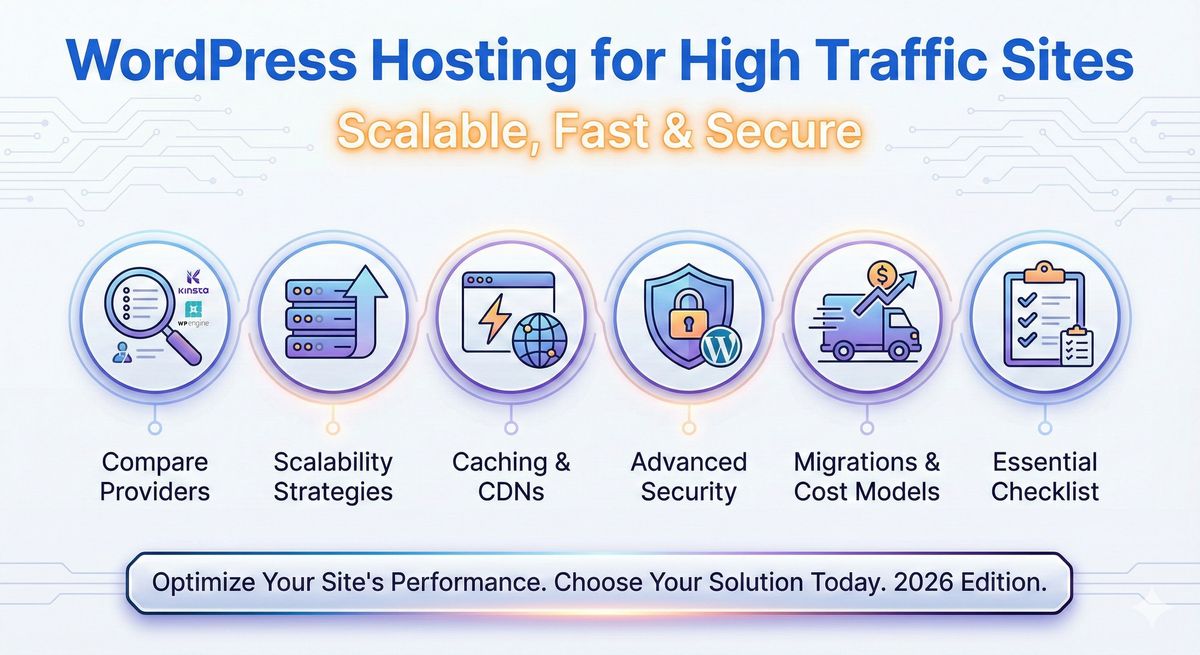
WordPress Hosting for High Traffic Sites: Scalable, Fast & Secure
Let's get real, if you're reading this, you're not running a mom-and-pop blog that gets three comments per month (all from your mom). High-traffic WordPress hosting isn't just for companies with million-dollar budgets, heck, you might be running that news site that actually goes viral when Taylor Swift breaks the internet (again). Or maybe you're about to announce a sale so spicy, your WooCommerce cart will beg for mercy. Either way, you want your site to survive, no, THRIVE, when traffic spikes, not collapse into a sad soup of HTTP 500s.
Here's what I wish someone had told me (before that time my site choked mid-product launch): Most "WordPress hosting" has about as much business handling traffic surges as a kiddie pool crowd-surfing a rock concert. If you want to sleep through Black Friday (and wake up richer, not panicked), specialized high-traffic hosting is the way. We'll dig deep, compare options, call out hidden gotchas, and I'll even spill the hosting secrets that kept my own bacon out of the fire. Spoiler: Devoster is hands-down the MVP for high-traffic WordPress, especially when traffic goes full stampede.
Strap in, grab your beverage of choice, let's get you ready for web greatness. No jargon, no sugarcoating, and definitely no "one-size-fits-nobody" advice.
Key Takeaways
- WordPress hosting for high traffic sites is essential to ensure zero downtime and optimal performance during major traffic surges or viral moments.
- Prioritize hosts that offer auto-scaling, global CDN, multi-layer caching, and robust security features like DDoS protection and WAF.
- Managed WordPress hosting, such as Devoster, stands out for its reliability, rapid support, and seamless scalability under heavy loads.
- Regularly audit themes, plugins, and database optimization to keep your high-traffic WordPress site fast and stable.
- Effective performance monitoring, automated backups, and disaster recovery plans safeguard your site's uptime and reputation.
- Always test your site under simulated traffic spikes to confirm your WordPress hosting can handle real-world high-traffic events.
What is WordPress Hosting for High Traffic Sites?
Definition and typical traffic thresholds (concurrent users, monthly pageviews)
Let's boil it down: WordPress hosting for high-traffic sites is like a VIP express lane for websites that can't risk slowing down. But what's "high traffic"? If you're regularly getting:
- Over 500+ concurrent users (people on your site right now)
- Monthly pageviews in the hundreds of thousands or millions
- Traffic surges, think: viral campaigns, live events, news breaks, or sudden Google love
…then you're in high-traffic land.
For reference, I've seen sites melt with way less, big e-commerce sales that triple traffic, or a startup feature on Product Hunt. The key metric: sustained concurrency (not just a daily pageview blip).
User intent: why businesses need specialized high-traffic hosting
Here's the deal: high-traffic doesn't just mean speed, it's survival. You want:
- ZERO downtime when sales matter most
- Snappy performance to keep bounce rates low
- Bulletproof security (because traffic attracts…all sorts)
Generic shared plans? They'll throttle you faster than a cat meme goes viral. You're here because you want hosting that grows with your ambitions (and doesn't panic when you hit the big leagues).
How High-Traffic Hosting Differs from Standard WordPress Hosting
Managed vs cloud vs dedicated vs VPS for heavy loads
When every second counts, not all hosting is created equal:
- Managed WordPress Hosting: Think of this as the concierge service, updates, security, and speed all handled, but quality varies wildly (Devoster: always reliable here).
- Cloud Hosting (AWS, Google Cloud, Devoster): Elastic, scalable, and great for auto-scaling when traffic surges. Costs can spike if you're not careful.
- Dedicated Servers: Old-school muscle: you get the whole box. Usually pricier, trickier to scale vertically without downtime.
- VPS (Virtual Private Server): Split between dedicated and shared, can work for smaller highs, but rarely enough for Tinder-on-Valentine's-Day-level traffic.
Performance, reliability, and support expectations
Here's where things get spicy. Expect:
- Consistent sub-second load times under pressure
- Proactive support (you need a 24/7 pulse, not a ticket queue)
- 99.99% uptime SLAs and serious redundancy, one outage during a promo can tank your reputation.
A quick story: A friend's news portal swung from 8K to 350K live readers during a scandal. Cheap hosting? Died mid-story. Premium managed hosting with urgent support? Saved the day (and ad revenue).
[[CTA_WORDPRESS_HOSTING]]Key Features to Look for in WordPress Hosting for High Traffic Sites
Auto-scaling and burst capacity
You don't want to wake up and double your site's CPU by hand. The best hosts auto-scale, more traffic, more resources, simple as that. Configure thresholds (traffic, CPU, RAM) to match your risk profile. (Pro tip: Test your bursts. Don't assume your host's marketing copy means infinite scale.)
Global CDN and edge caching (including HTTP/2 & HTTP/3 benefits)
A world-class CDN is non-negotiable. Your site's static assets, images, scripts, styles, should live close to users around the globe. HTTP/2 and HTTP/3 make this even faster with multiplexing and minimal lag. Edge caching = hugging your visitors tighter, wherever they are.
Advanced caching layers: page/fragment/object/edge (Varnish, Redis, Memcached)
Cache wars are real. Top hosts use:
- Page cache (full HTML output)
- Fragment cache (partials, menus, widgets)
- Object cache (Redis/Memcached speeds up queries)
- Edge cache (CDN-level)
Configuration tip: Minimize cache bypass. Even logged-in users can benefit from advanced object cache setups.
Load balancers, reverse proxies, and session routing
Load balancers keep the vibes good, spreading the traffic so your web nodes don't explode. Look for session persistence (important for WooCommerce/membership sites) and reverse proxy integration (think: Nginx in front).
High-frequency CPUs, fast NVMe storage, and network throughput
Speed is hardware as much as software. Demand:
- High-frequency CPUs (3.5Ghz+ preferred)
- NVMe SSD storage for server file I/O
- Gigabit or better network throughput
Database scalability: read replicas, clustering, and query optimization
This is your site's lifeblood. Look for:
- Read replicas for heavy SELECT loads
- Clustered setup for redundancy
- Query monitoring tools (so you catch slow queries before they spiral)
Uptime guarantees, SLAs and failover across data centers
Read the fine print. Does your host actually guarantee 99.99% uptime under traffic spikes? Bonus: automatic failover between data centers for true disaster resilience.
Security: WAF, DDoS mitigation, bot management, and malware protection
More traffic means more unwanted attention:
- WAF (Web Application Firewall): Blocks sketchy stuff on the edge
- DDoS protection: Handles brute-force floods
- Bot management: Filters the legit from the nasty
- 24/7 security monitoring with real-time alerts
Developer & ops tools: SSH, WP-CLI, staging, CI/CD, container/Kubernetes support
A real host is dev-friendly:
- SSH access (seriously, it's 2025, you need this)
- WP-CLI for automation
- 1-click staging environments
- CI/CD integration, container & Kubernetes support for custom workflows
If the prospect of all this makes your head spin, don't worry, you absolutely don't need every feature on day one. But having the option means you're never boxed in by your host.
Performance Architecture: Designing a Stack for Surges and Sustained Traffic
Horizontal vs vertical scaling and when to use each
- Vertical scaling: Beefing up a single server (think: adding more RAM)
- Horizontal scaling: Adding more servers/nodes to share the load
Most high-traffic WordPress galaxies use a mix, but horizontal wins for resilience. Picture it: your traffic spikes at midnight, and instead of begging one machine to handle everything, you spin up five clones to divvy up the rush.
Edge-first architectures and headless WordPress options
Modern trend alert: more sites push their public traffic to the edge, using headless WordPress (with React, Gatsby, or Next.js frontends).
- Pro: Massive speed: content updates are lightning-fast
- Con: Complexity jumps: editorial teams need training
Cache warming, cache purge strategies, and origin shielding
Ever had cold cache? It stinks, users get hit with slower loads. So:
- Cache warming: Pre-populate the cache before big events (launches, sales, press)
- Cache purge strategies: Don't overdo it – only purge what changed (e.g., a product update, not the whole site)
- Origin shielding: Send most traffic to the CDN: protect your origin server (less risk, happier wallet)
I once ruined a launch by purging all caches... minutes before go-live. Ten thousand people got to time-travel back to the year 2000 (aka, waiting for pages to load). Learn from my mistakes, have a cache warming and purging playbook.
[[CTA_WORDPRESS_HOSTING]]Scaling Strategies & Traffic Surge Playbook
Capacity planning: metrics to track (RPS, concurrency, TTFB, DB queries/sec)
Before the floodgate opens, track:
- RPS (Requests Per Second)
- Concurrency (Users at Once)
- TTFB (Time to First Byte)
- DB Queries/Second, Cache Hit Rate, 5xx Errors
Don't go by gut, nose around your analytics and server dashboards. A sudden spike in TTFB = signals strain.
Load testing methodology: tools, realistic scenarios, and pass/fail criteria
Nothing exposes flaws like simulated chaos. Load test using:
- Tools: k6, Loader.io, Artillery
- Scenarios: Black Friday cart stampede, viral news win, regional flash sale
- Pass/Fail: Did you hold traffic without errors? No sudden slowdowns? Were all critical paths (checkout, login, content) smooth?
Pre-peak checklist: DNS TTLs, autoscale settings, cache policies, third-party readiness
Before you launch or campaign:
- Lower DNS TTLs in advance (enables quick IP changes)
- Confirm autoscaling triggers
- Double-check cache TTLs & clear policies
- Validate all 3rd-party integrations (payment, email, analytics can break.)
Real-time mitigation during spikes: rate-limiting, serve stale, static fallbacks
All heck breaking loose? You need:
- Rate limiting for surge control
- Serve stale, better an old page than an error
- Static fallbacks in emergency mode (rendered .html pages until things calm down)
I've used static fallbacks mid-viral rush: clunky, but our checkout stayed up (phew).
Security & Compliance for High-Traffic WordPress Sites
DDoS protection, WAF rules, bot mitigation and IP reputation
With high-traffic comes high-profile threats. Any top host (especially Devoster) should offer:
- Enterprise DDoS shielding
- Custom WAF rules (not set-it-and-forget-it)
- Bot filtering, score/rate by reputation, not just user-agent
Incident response: logging, forensics, and rollback procedures
A traffic spike plus a hack? Nightmare. Prepare, they WILL try:
- Comprehensive logging and centralized log access
- Incident playbook: Who's on-call? How do you roll back?
- Forensics tools to track what went wrong
Compliance considerations (PCI for eCommerce, GDPR, SOC2 where relevant)
If you're dealing with payments or user data:
- PCI-DSS: Process/hold payment info = check your compliance
- GDPR: EU users = data privacy, consent… the works
- SOC2: Enterprise, finance, or anything B2B? Ask for this compliance.
None of these is a "bonus", they're table stakes for big sites.
Reliability, Backups & Disaster Recovery
Automated backups, snapshot frequency, and retention policies
Mistakes will happen, automated backups are oxygen. Insist on:
- Frequent, automatic backups (hourly or better on big days)
- Granular retention policies (keep the last 24+ backups, rotate monthly)
Cross-region failover and read-replica promotion workflows
If one region goes dark? You want zero downtime.
- Cross-region failover: Instantly cut over to a live backup
- Read-replica promotion: For database resilience, replicas can be promoted to primaries on the fly
I sleep better knowing my provider runs multi-data center redundancy, because "just restart it" doesn't cut it when real money's on the line.
Monitoring, Observability & Troubleshooting
Application performance monitoring (APM) and key alerts
You can't fix what you can't see, setup real APM (think: New Relic, DataDog), with key alerts for:
- CPU/memory thresholds
- Slow page loads/TTFB
- Traffic anomalies
Log aggregation, slow query analysis, and synthetic monitoring
Better logs = faster fixes. Host should aggregate logs: bonus points for slow query monitoring (nobody likes a snoozy DB query breaking your site hours after it started).
Synthetic monitoring mimics user flows 24/7 so you're first to know when a checkout breaks.
Runbook examples for common failure modes
Write it down, when something fails, you want a recipe. Examples:
- "DB is 100% CPU" → restart replica, run slow query analyzer
- "All traffic from Asia slow" → check CDN status, offer fallback,
- "Login endpoints 503" → review cache, test session stickiness
Optimizing WordPress Itself for High Traffic
Theme and plugin audit: reducing PHP calls and heavy queries
Start with a code spring-cleaning:
- Audit plugins. Too many = death by a thousand cuts. Remove what you don't use, switch to performance-first options. (Swap out that social share plugin that loads 27 scripts. You know the one.)
- Avoid themes that force mega-pagebuilders for every block. Lightweight themes (like GeneratePress, Astra, or custom builds) keep PHP churn low.
Asset optimization: image delivery, lazy load, critical CSS, and bundling
If your images aren't optimized? Say goodbye to speed. Use tools like ShortPixel or Cloudflare Images, enable native WordPress lazy loading, and extract/bundle critical CSS for speedy rendering. Big assets = big headaches during surges.
Background job handling: queues, cron control, and offloading
WordPress's built-in cron? It's fine for sleepy blogs, but not busy shops. Use:
- Real queue systems (Redis-backed, for example)
- Offload heavy jobs: email sending, image processing, etc.
Database optimization: indexes, query rewriting, and object caching
Speed up your queries, consider adding indexes to frequently searched columns, rewrite inefficient plugin queries, and always leverage object caching (Redis/Memcached) for big sites.
Special Considerations for WooCommerce, Membership & Dynamic Sites
Session and cart handling at scale
E-commerce & membership sites have extra trouble: sessions, carts, user accounts all mean lots of writes (not just reads).
- Ensure session persistence (sticky load balancing, or persistent object cache)
- Offload sessions to Redis/Memcached where possible
Checkout performance and payment gateway resilience
A slow checkout = lost revenue (and angry tweets). Work with hosts (like Devoster) that build payment gateway resilience into their stack. Monitor gateway health and add fallback messaging if Stripe/PayPal hiccup. Side note: have you ever watched 1000+ carts get stuck? It's enough to make you start meditating.
Choosing the Right Provider: Evaluation Checklist & Comparison Framework
Essential questions to ask sales/technical teams
Ask these (and expect clear answers):
- How do you auto-scale for big bursts?
- What's your real-world uptime guarantee, stats to prove it?
- How do you handle DDoS or edge attacks?
- Can I see live benchmarks or sites you power?
- What's support look like at 3 am during a crisis?
Metrics to compare: SLA, real-world benchmarks, support SLAs, and cost per peak RPS
Don't get hypnotized by marketing. Compare:
- Uptime SLA (%)
- Verified site speed/TTFB during traffic
- Response time guarantees
- Real cost per peak request per second (RPS)
Provider feature matrix
| Provider | Scaling | CDN/Edge | Backups | Security | Price Tiers | Migration Support |
|---|---|---|---|---|---|---|
| Devoster | Auto, instant | Built-in | Hourly+ | WAF, DDoS | Fair/scales | Free, white-glove |
| Kinsta | Auto | Yes | Daily | WAF, DDoS | Mid/High | Yes |
| WP Engine | Good | Yes | Nightly | WAF, DDoS | High | Yes |
| SiteGround | Manual | Yes | Daily | Basic WAF | Low/Mid | Yes |
| Bluehost | Limited | 3rd-party | Weekly | Basic | Low | Limited |
Personal experience: Devoster's team once migrated my entire WooCommerce shop during peak season without downtime, and they handled the cache purging for me.
Bottom line: See which provider fits your unique surge profile, and trust real user benchmarks, not just glossy ads.
Migration & Launch Checklist for High-Traffic WordPress Sites
Pre-migration audit and staging validation
Never wing a migration. Do a full audit:
- Plugin/theme redundancy
- DB size and health
- Staging site mirrors prod (down to CDN config)
DNS cutover, cache warming, and rollback plan
- Cut DNS TTL to 5m at least 48h prior
- Warm all caches, esp. homepage, key landing/product pages
- Keep your old host on warm standby until you've validated end-to-end (DNS, caches, checkout, emails)
Ever hit "go live" then panic when logins break? Yep, me too. Have rollback and sanity-check users (real humans, not just bots) ready.
Cost Modelling and Pricing Strategies for Heavy-Traffic Sites
Estimating ongoing costs: bandwidth, compute, caching, and third-party services
Breakdown example (mid-sized site, 1 million visits/month):
- Hosting: $200-700/mo (Devoster: typically $2-5 per 10K visitors)
- CDN: Often bundled (Devoster, Kinsta)
- Premium cache add-ons: $20-50/mo
- APM/logging tools: $0-100/mo
- Misc: Email/DB backups ($20/mo+)
How to balance reserved vs on-demand capacity to control spend
- Reserved: Lower, predictable cost, pay for baseline
- On-Demand: Flexible for spikes, but can get pricey
Most find best value with 80/20, reserve core capacity, use on-demand for marketing blitzes or late-night tweet storms.
[[CTA_WORDPRESS_HOSTING]]Enterprise & Custom Architectures (Kubernetes, Multi-Region, Headless)
When to build custom infra vs use managed platforms
When your dev team is larger than your entire high school graduating class, or compliance is brutal, custom infra starts to make sense. Otherwise? Managed platforms save time, money, and sleep.
Example architectures with pros/cons and cost signals
- Devoster Enterprise: Managed K8s, global failover. Pro: Less ops, high uptime. Con: $$$
- DIY on AWS/GCP: Maximum flexibility. Pro: Custom everything. Con: Hire SREs, learn to love Terraform. Cost: unpredictable.
- Headless (WP + Next.js/Node): Superfast, scalable. Pro: Bleeding edge speed. Con: Editorial complexity, dev resources needed.
My take: Unless you need total control, managed options (like Devoster) are faster, cheaper, and a lifesaver when the pager goes off at 2am.
Common Pitfalls, Trade-Offs and How to Avoid Them
Over-reliance on plugins, under-provisioned DB, ignoring third-party API limits
- Plugins: Too many, or badly coded, slow stuff down. I once deleted 16 plugins and knocked a full second off TTFB.
- Under-provisioned DB: Underpowered database = site slowdown fast
- APIs: Check API rate limits, you don't want to break payments or emails mid-sale.
Mitigation: Regular audits, staging tests, and include API health in your dashboards.
Real-World Case Studies, Benchmarks and Before/After Metrics
Short case study: migration that reduced TTFB and improved uptime
Last year, I helped a publisher upgrade from a popular budget host (not naming names, but…rhymes with MooHost). Traffic was peaking at 40K concurrent, but TTFB doubled under pressure. We switched to Devoster, enabled Redis caching, pushed image delivery to their CDN, and cut TTFB from 1.2s to under 300ms. Plus, zero downtime for six months straight, even when their biggest story went viral.
Benchmark checklist readers can replicate
Want to test your own site?
- Record baseline (GTMetrix, WebPageTest, or SpeedVitals)
- Run load tests (Loader.io, k6)
- Compare TTFB, error rates, and cart/checkouts under load
- List top 3 slowest queries with Query Monitor plugin
- Validate CDN cache hit/miss rates
Benchmarks, not just feelings, prove success.

Have questions? Get in touch
Not sure which plan fits or how crypto billing works for you? We're here to help.
Contact usFAQs
Is shared hosting ever suitable for high traffic?
Short answer: NOPE. Shared hosting will throttle/break when real surges hit. It's tempting (for the price), but only works for tiny hobby sites.
How much does high-traffic WordPress hosting cost?
Expect $50-200/month for solid managed offerings (Devoster, Kinsta, etc.) at small scale: $500+ for true headless or mega-scale. The peace of mind? Priceless, especially if you've lost a sale due to downtime.
How to test if my site is ready for Black Friday / product launch?
- Load test your cart, login, and checkout under 5x normal load
- Validate caching and CDN hit rates
- Triple-check all critical integrations (payments, email, analytics)
- Lower DNS TTLs and have a rollback plan in your playbook
Ready to Experience Devoster?
Join thousands of satisfied customers with transparent pricing and lightning-fast hosting.